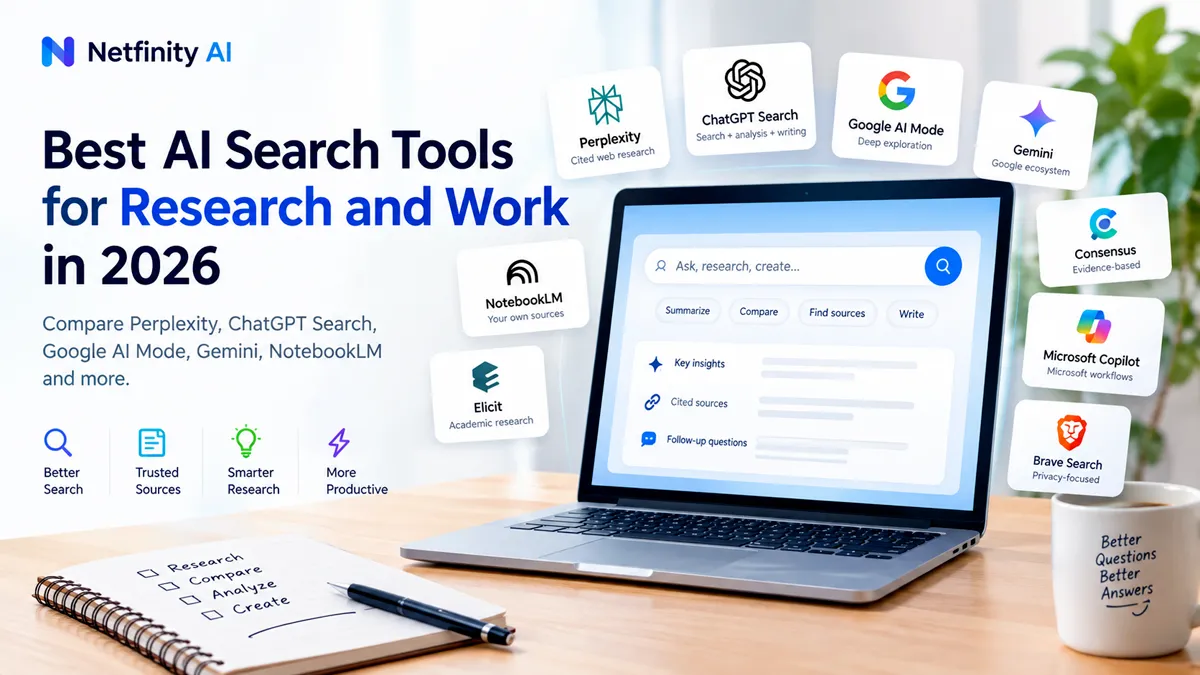
Best AI Search Tools for Research and Work in 2026
Searching for information has changed.
Instead of typing a few keywords into Google, opening ten tabs, scanning articles, and trying to piece everything together yourself, you can now ask an AI search tool a detailed question and get a researched answer with sources, follow-up questions, and sometimes a full report.
But that does not mean every AI search tool does the same thing.
Some are designed for fast web research. Others are better for deep research reports. Some work best when you already have PDFs, documents, or notes. Academic research tools focus on scientific papers rather than the general web.
That is why the better question is not simply, “What is the best AI search tool?”
It is:
“Which AI search tool is best for the research job I need to do?”
In this guide, we compare practical AI search and research tools for 2026 and explain where each one fits.
Quick Answer: Best AI Search Tools for Research
| AI Search Tool | Best For | Main Strength |
|---|---|---|
| Perplexity | Web research | Source-linked answers and research |
| ChatGPT Search | Research and analysis | Search + reasoning + writing |
| Google AI Mode | Deep Google Search | Follow-up exploration and web discovery |
| Gemini | Google users | Research across the Google ecosystem |
| NotebookLM | Your own sources | Source-grounded research |
| Elicit | Academic research | Scientific paper search and evidence synthesis |
| Consensus | Evidence-based questions | Research-backed answers |
| Microsoft Copilot | Microsoft users | Search and work workflows |
| Brave Search | Privacy-focused search | Search with a privacy-oriented approach |
There is no single tool that is ideal for every research workflow.
For example, someone researching a competitor may need live web information, while someone reviewing a university report may need to work primarily from PDFs and academic papers.
What Is AI Search?
AI search combines traditional search technology with artificial intelligence.
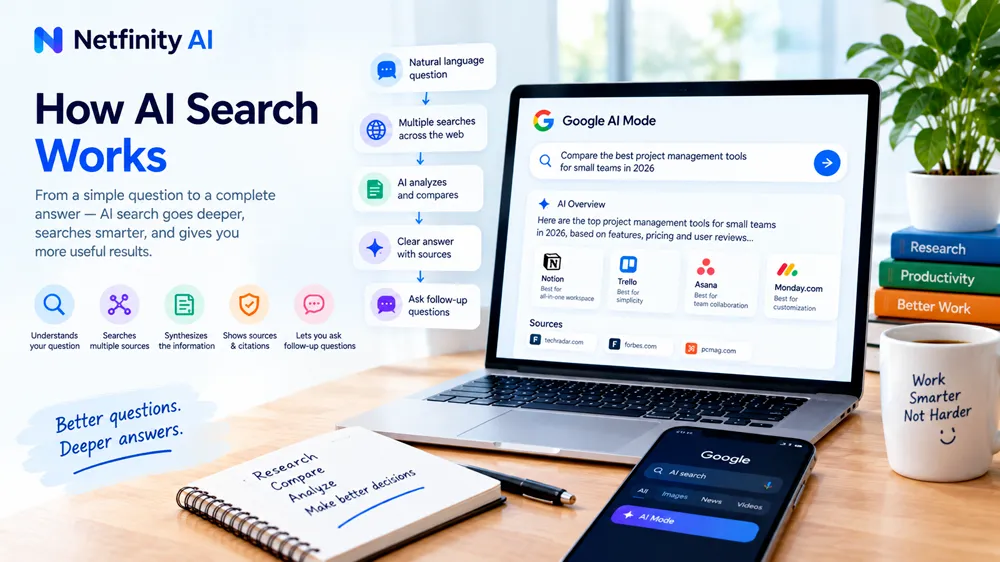
Instead of simply returning a page of links, an AI search system can interpret a natural-language question, search for relevant information, summarize findings, and often provide links or citations to the sources it used.
This makes AI search particularly useful for questions that would normally require multiple searches.
For example, instead of searching:
- best project management software
- project management software pricing
- project management software for small teams
- project management software comparison
you might ask one detailed question and then use follow-up questions to narrow the research.
Google’s AI Mode is designed around this type of deeper exploration. It can break a question into related subtopics and search them simultaneously before producing an answer.
The key difference is that AI search is increasingly becoming a research interface, not simply another way to find websites.
If you’re looking for practical AI tools for specific professions, our guide to the best AI tools for teachers is a useful place to start.
How We Chose These AI Search Tools
We focused on practical usefulness rather than simply counting features.
The main factors are:
- Search quality
- Source visibility
- Citation support
- Research depth
- Freshness of information
- Follow-up capabilities
- Document support
- Academic research capabilities
- Ease of use
- Free availability
- Usefulness for real work
One important rule applies to every tool:
AI-generated research should still be verified before you rely on it.
A citation does not automatically mean that the underlying claim is correct. Open the source, check the context, and confirm important facts.
1. Perplexity — Best for Web Research
Perplexity is one of the clearest examples of an AI search engine built around research.
Instead of returning only traditional search results, it generates an answer and connects the response to sources.
Its current search experience emphasizes cited answers, source verification, and live web information. Perplexity also offers Deep Research, which can perform multiple searches and analyze many sources to produce a longer report.
Why Perplexity Stands Out
The biggest advantage is the connection between the answer and its sources.
When researching a topic, you can quickly move from an AI-generated explanation to the websites behind the claims.
That makes Perplexity useful for:
- Market research
- Competitor research
- Product research
- Current events
- Industry research
- Content research
- Quick fact-finding
- Research that requires multiple web sources
Its Pro Search feature is designed for more complex questions, while Deep Research is intended for more comprehensive research tasks.
Best Use Case
Imagine you want to research:
“What are the biggest AI trends affecting small businesses in 2026?”
Perplexity can help you discover current sources, identify recurring themes, and create a starting point for deeper research.
Pros
- Strong source visibility
- Good for current web research
- Natural-language queries
- Follow-up questions
- Deep Research capabilities
- Useful for discovering sources
Cons
- AI summaries still require verification
- Results can vary depending on the question
- Not specifically designed for academic literature reviews
Best for: People who want a fast, source-focused way to research the open web.
2. ChatGPT Search — Best for Research and Analysis
ChatGPT Search combines web search with a conversational AI workflow.
Instead of searching separately and then moving the information into an AI assistant for analysis, you can search and continue the discussion in the same conversation.
That is particularly useful when the research process involves several stages.
For example:
- Find current information.
- Ask for a summary.
- Compare several sources.
- Identify differences.
- Ask follow-up questions.
- Turn the findings into a report.
ChatGPT Search provides links to web sources and can use web information when current information is needed.
Why ChatGPT Search Stands Out
The biggest strength is the combination of search + reasoning + writing.
Research rarely ends when you find an answer.
You often need to interpret the information afterward.
For example:
“Find the latest information about AI search, compare the major platforms, then turn the findings into a short business briefing.”
That kind of workflow fits a conversational research assistant particularly well.
For students using ChatGPT as part of their research and study workflow, our guide to the best ChatGPT prompts for students includes practical prompt ideas.
Useful For
- Business research
- Content research
- Market analysis
- Product comparisons
- Brainstorming with current information
- Research summaries
- Turning research into documents
Pros
- Conversational workflow
- Search and analysis in one place
- Useful follow-up questions
- Strong writing capabilities
- Good for turning research into usable output
Cons
- Important claims still need source verification
- Search results can depend heavily on how the question is written
- Not a replacement for specialist academic databases
Best for: People who want to search, analyze, and work with information in one conversational workflow.
3. Google AI Mode — Best for Deep Google Search Exploration
Google AI Mode brings conversational AI directly into Google Search.
It is particularly useful when a question is too complicated for a single traditional search query.
Instead of repeatedly modifying searches, you can ask a broader question and continue with follow-ups.
Google says AI Mode can break complex questions into subtopics and search multiple areas simultaneously.
Why Google AI Mode Stands Out
Google still has an enormous web-search ecosystem behind the experience.
That makes AI Mode especially interesting for people who already use Google for most of their research.
For example:
“I’m planning a three-day trip to Tokyo. Compare neighborhoods for first-time visitors, transportation convenience, major attractions, and typical hotel locations.”
Rather than searching each question independently, you can continue the conversation and refine the research.
Useful For
- General web research
- Travel research
- Product discovery
- Local information
- Comparing options
- Exploring unfamiliar topics
Pros
- Integrated into Google Search
- Follow-up questions
- Useful for complex searches
- Strong web discovery
- Links back to web content
Cons
- AI answers still need checking
- The experience can change as Google updates Search
- Not specifically designed for academic literature review
Best for: People who want AI-powered exploration inside the Google Search experience.
4. Gemini — Best for Google-Centered Research
Gemini is Google’s broader AI assistant and includes research-oriented capabilities such as Deep Research.
Its biggest advantage becomes more apparent when your work already happens inside Google’s ecosystem.
Depending on your account and available features, Gemini can combine AI assistance with Google services and research workflows.
Why Gemini Stands Out
For someone who works heavily with Google products, staying within the same ecosystem can reduce friction.
Gemini can be useful for:
- Research
- Summaries
- Planning
- Document-related workflows
- Google ecosystem tasks
- Long-form research reports
Google has positioned Deep Research as a way to have Gemini analyze information and produce multi-page reports rather than simply answering a single search query.
Best Use Case
A marketing professional researching a new industry might ask Gemini to investigate the market, identify major trends, summarize the findings, and organize the information into a report.
Pros
- Strong Google ecosystem integration
- Deep Research capability
- Useful for complex questions
- Good for longer research workflows
Cons
- Feature availability can vary by account
- Important information still needs verification
- Some users may prefer a dedicated search-first interface
Best for: Google ecosystem users who want AI research and analysis in one environment.
5. NotebookLM — Best for Researching Your Own Sources
NotebookLM is different from a traditional AI search engine.
Instead of starting with the entire public web, you can provide your own source material and ask questions about it.
That makes it especially useful when the information you care about already exists in:
- PDFs
- Documents
- Notes
- Websites
- Research materials
- Reports
- Course materials
- Other source collections
Students can also use source-focused AI alongside other tools covered in our guide to the best AI tools for students.
Why NotebookLM Stands Out
Imagine you have a 100-page industry report.
Instead of manually searching through every section, you can use NotebookLM to ask questions about the material and explore the information in a source-focused environment.
This changes the research problem from:
“Find information about this topic.”
to:
“Help me understand this specific information.”
That distinction is important.
Useful For
- Research reports
- Studying documents
- Meeting and project materials
- Academic reading
- Company research
- Source-based summaries
- Comparing information across uploaded sources
Pros
- Excellent for source-grounded workflows
- Useful with large collections of information
- Good for asking questions about documents
- Helps organize research
Cons
- Not primarily an open-web search engine
- Quality depends on the sources you provide
- You still need to verify important conclusions
Best for: Researchers who already have the documents and want AI help understanding them.
If your research workflow also involves organizing lectures, meetings, or large amounts of information, see our guide to the best AI note-taking apps.
6. Elicit — Best for Academic Research
Elicit is built specifically around scientific research.
That makes it very different from general-purpose AI search engines.
Its research workflows are designed around finding academic papers, screening literature, extracting information, and synthesizing evidence.
Elicit currently says its system searches a corpus of more than 138 million academic papers and conference proceedings, with additional clinical-trial sources.
Its systematic-review workflow can help researchers move through search, screening, extraction, and synthesis.
Why Elicit Stands Out
Academic research has a different standard from ordinary web research.
You may need to know:
- Which papers support a claim
- What methodology a study used
- What the sample size was
- What the results showed
- Whether multiple studies agree
- How evidence differs between studies
Elicit is designed around those needs.
Useful For
- Literature reviews
- Academic research
- Systematic reviews
- Paper discovery
- Evidence synthesis
- Research data extraction
Pros
- Academic-paper focused
- Structured research workflows
- Paper screening
- Data extraction
- Evidence synthesis
- Supporting quotes and citations
Cons
- Overkill for simple web searches
- Primarily designed for research rather than everyday search
- Academic workflows can require more learning
Best for: Students, researchers, academics, and professionals working with scientific literature.
7. Consensus — Best for Evidence-Based Questions
Consensus is another research-focused AI tool, but its emphasis is on scientific literature and evidence-backed questions.
Instead of asking:
“What does the internet say about this?”
you can ask questions where published research is more important.
For example:
“Does regular exercise improve sleep quality?”
The useful information is not simply a collection of blog posts.
You want relevant studies, evidence, and an understanding of what the research actually says.
Why Consensus Stands Out
It is designed for research questions where scientific papers matter.
That makes it useful for:
- Academic research
- Evidence-based questions
- Literature discovery
- Research summaries
- Scientific topics
Pros
- Research-focused
- Useful for finding academic evidence
- Better suited to scientific questions than ordinary search
- Helps summarize research findings
Cons
- Not intended as a replacement for general web search
- Research conclusions still require careful reading
- Best suited to evidence-based questions
Best for: Users who need research-backed answers rather than general web opinions.
8. Microsoft Copilot — Best for Microsoft-Centered Workflows
Microsoft Copilot combines AI assistance with Microsoft’s broader productivity ecosystem.
For people already working heavily with Microsoft products, that can make research and information tasks easier to integrate into existing workflows.
It can be useful for:
- Research
- Summaries
- Business tasks
- Document workflows
- Productivity
- Information analysis
Why Copilot Stands Out
The main advantage is not simply search.
It is the ability to combine AI assistance with a productivity environment many businesses already use.
For example, a professional might research a topic and then use AI assistance to turn the findings into a business document or presentation.
Pros
- Strong Microsoft ecosystem connection
- Useful for business workflows
- Research and productivity combined
- Good fit for Microsoft-heavy organizations
Cons
- Best features can depend on account and Microsoft plan
- Not primarily a specialist academic research tool
- Search and research capabilities continue to evolve
Best for: Professionals and organizations already using Microsoft tools extensively.
9. Brave Search — Best for Privacy-Focused Search
Brave Search takes a different approach to search.
Its main appeal is privacy.
For users who want an alternative to the major search ecosystems, Brave Search provides an independent search experience with AI-powered capabilities.
Why Brave Search Stands Out
Privacy can be an important consideration when choosing a search engine.
Not every search needs to happen inside the largest available ecosystem.
Brave can therefore be useful for people who prioritize:
- Privacy
- Independent search
- Alternative search experiences
- AI-assisted search
Pros
- Privacy-focused positioning
- Alternative to major search engines
- AI-assisted search
- Useful for everyday research
Cons
- Not designed specifically for academic literature
- Research depth varies by task
- Users may prefer larger search indexes for certain queries
Best for: Users who want AI-assisted search while prioritizing a privacy-oriented search experience.
AI Search vs Traditional Search
Traditional search and AI search are not necessarily competitors.
They are often better viewed as two different stages of the same research process.
Traditional Search
Question → Search → Links → Open pages → Read → Compare → Decide
AI Search
Question → AI searches → Sources → Synthesis → Follow-up → Verification
The second workflow can be faster for complex questions.
But the first workflow remains extremely important because opening the original source is often the best way to verify an AI-generated claim.
Google’s AI Search experience itself continues to emphasize links and web sources alongside AI-generated responses.
So AI search should not mean:
“Stop visiting websites.”
It should mean:
“Use AI to find and understand useful information faster, then inspect the sources that matter.”
AI Search Is Not the Same as AI Research
These terms are often used interchangeably, but they describe different workflows.
AI Search
Best when you need to find information quickly.
Examples:
- Current product information
- Company research
- News
- Comparisons
- General questions
AI Deep Research
Best when the question requires multiple searches and a longer synthesis.
Examples:
- Market research
- Competitive research
- Industry analysis
- Complex reports
Source-Grounded AI
Best when you already have the information.
Examples:
- PDFs
- Reports
- Research notes
- Company documents
NotebookLM is a strong example of this workflow.
Academic AI Research
Best when peer-reviewed literature is the evidence base.
Examples:
- Literature reviews
- Scientific questions
- Systematic reviews
- Evidence synthesis
Elicit and Consensus fit this category.
Understanding these differences will help you choose tools more effectively.
Which AI Search Tool Should You Use?
Use the tool according to the job.
Choose Perplexity if:
You want fast, source-visible web research.
Choose ChatGPT Search if:
You want to search, analyze, reason, and write in one workflow.
Choose Google AI Mode if:
You want deeper exploration inside Google Search.
Choose Gemini if:
You work heavily inside Google’s ecosystem.
Choose NotebookLM if:
You already have documents and want to research those sources.
Choose Elicit if:
You are working with academic literature or systematic reviews.
Choose Consensus if:
You need answers grounded in scientific research.
Choose Microsoft Copilot if:
Your work is centered around Microsoft’s productivity ecosystem.
Choose Brave Search if:
Privacy is a major consideration in your search workflow.
You Probably Don’t Need 9 AI Search Tools
This is one of the biggest mistakes people make.
They try every new AI search engine but never develop a consistent research workflow.
You usually need only one primary tool and one specialist tool.
For example:
Business Research Stack
Perplexity + ChatGPT
Use Perplexity for source discovery and ChatGPT for analysis and writing.
Document Research Stack
NotebookLM + ChatGPT
Use NotebookLM to understand your source collection, then use ChatGPT for broader analysis or writing.
Academic Research Stack
Elicit + Consensus
Use Elicit for paper discovery and structured literature workflows, then use Consensus for evidence-focused questions.
Google-Centered Stack
Google AI Mode + Gemini
Use Google Search for discovery and Gemini for deeper AI-assisted work.
The goal is not to collect AI tools.
The goal is to reduce the time between a question and a trustworthy answer.
How to Use AI Search Without Trusting It Blindly
AI search can save time, but it can also make incorrect information look convincing.
Use this simple workflow.
1. Start with a specific question
Bad:
“Tell me about AI.”
Better:
“What are the main ways AI search is changing product research for small businesses in 2026?”
2. Ask for sources
If the tool supports citations, use them.
3. Open important sources
Don’t stop at the AI-generated summary.
4. Check the original context
A source can support part of a statement without supporting the entire statement.
5. Compare multiple sources
Especially for:
- Pricing
- Statistics
- Product capabilities
- Legal information
- Medical information
- Financial information
- Current events
6. Use AI for synthesis—not blind trust
AI is extremely useful for finding relationships between information.
But you remain responsible for deciding whether the evidence actually supports the conclusion.
Frequently Asked Questions
What is the best AI search tool for research?
There is no single best tool for every research task. Perplexity is designed around source-linked web answers, ChatGPT Search combines web search with conversational analysis, NotebookLM focuses on your own sources, and Elicit and Consensus specialize in academic research.
Is AI search better than Google?
It depends on the task. Traditional Google Search is still useful for discovering websites and navigating directly to sources. AI search can be more convenient when you need a synthesized answer or want to ask several follow-up questions.
Is Perplexity an AI search engine?
Yes. Perplexity is designed around AI-generated answers with web sources and citations. Its current product also includes deeper research capabilities.
Can ChatGPT search the internet?
Yes. ChatGPT has web-search capabilities that can retrieve current information and provide links to relevant sources.
Is NotebookLM an AI search engine?
Not in the traditional sense. NotebookLM is better understood as a source-grounded research assistant. It is particularly useful when you want to ask questions about documents and other materials you provide.
Which AI tool is best for academic research?
Academic research depends on the task. Elicit is designed around scientific literature workflows, while Consensus focuses on research-backed questions. General AI search tools can also help with discovery, but important academic claims should be checked against the original papers.
Can AI search replace Google?
Not completely. AI search and traditional search solve overlapping but different problems. AI is useful for synthesis and conversational exploration, while traditional search remains valuable for direct source discovery and navigation.
Should I use more than one AI search tool?
Usually, you don’t need many. A primary general-purpose AI search tool plus a specialist tool for your specific research type is often enough.
Are AI search results always accurate?
No. AI systems can make mistakes, misunderstand sources, or produce unsupported claims. Always verify important information against the original sources.
What is the difference between AI search and deep research?
AI search generally focuses on answering questions using web information. Deep research goes further by performing multiple searches, gathering more sources, and producing a more comprehensive synthesis.
Final Verdict
AI search is becoming a new layer between people and the web.
But the biggest change isn’t simply that search results now contain AI-generated text.
The bigger change is that search is becoming conversational and research-oriented.
Instead of searching one keyword at a time, you can describe a problem, explore the answer, ask follow-up questions, compare sources, and turn the findings into something useful.
The right tool depends on where you are in that process.
Perplexity is useful for source-focused web research.
ChatGPT Search is useful when research needs to continue into analysis and writing.
Google AI Mode is useful for deeper exploration within Google Search.
Gemini fits Google-centered workflows.
NotebookLM is valuable when your own documents are the evidence base.
Elicit and Consensus are better suited to academic and evidence-focused research.
And that’s the most important lesson:
Don’t choose an AI search tool because it is popular. Choose it because it fits the research job you actually need to do.
AI should make research faster—but the final responsibility for checking important information still belongs to you.