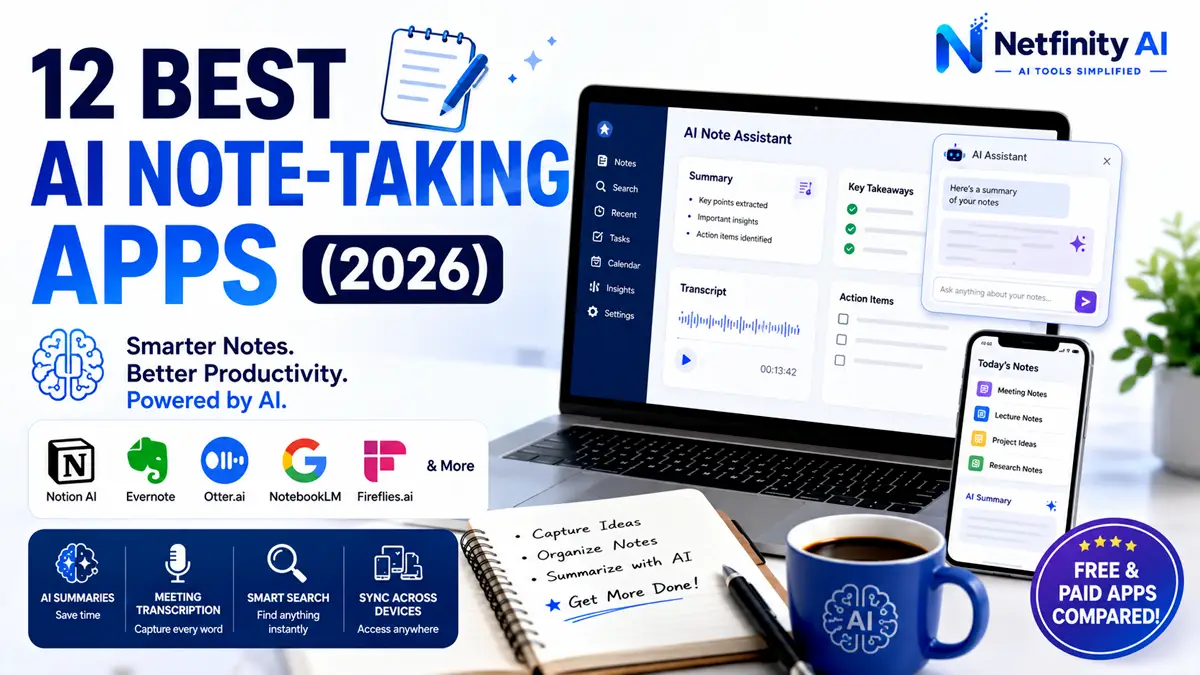
Best AI Note Taking Apps: 12 Free & Paid Picks (2026)
The best AI note taking apps help students, professionals, and teams capture ideas, summarize notes, organize information, and boost productivity with artificial intelligence. Discover the best free and premium options to capture ideas, summarize meetings, organize notes, and study more efficiently.
Quick Facts
- Category: AI Productivity
- Apps Reviewed: 12
- Best For: Students & Professionals
- Reading Time: 12 Minutes
- Updated: 2026
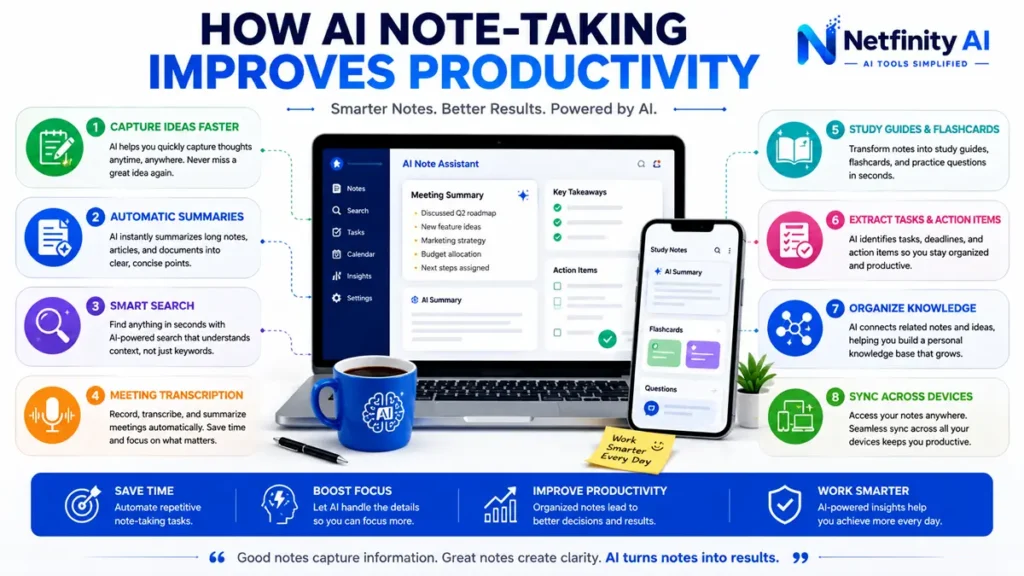
Artificial intelligence is transforming the way we take notes. Instead of manually organizing pages of handwritten notes, today’s AI note-taking apps can automatically transcribe meetings, summarize lectures, generate action items, organize knowledge, and even answer questions about your notes.
Whether you’re a student preparing for exams, a professional attending meetings, or a researcher managing large amounts of information, the right AI note-taking app can save hours every week while improving productivity.
In this guide, we’ve compared the 12 best AI note-taking apps based on features, ease of use, pricing, collaboration, AI capabilities, and overall value. We’ll also help you choose the right app for your specific needs.
If you’re looking to improve your overall productivity, check out our guide to Best AI Productivity Tools. Students may also find our Best AI Tools for Students guide helpful.
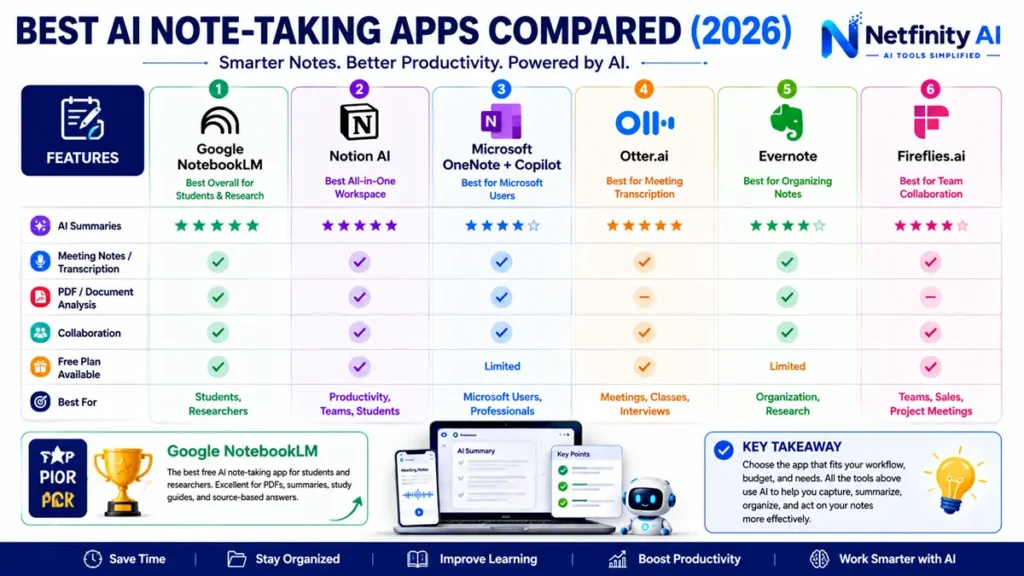
Best AI Note-Taking Apps Compared
| App | Best For | Free Plan | AI Features | Overall Rating |
|---|---|---|---|---|
| NotebookLM | Students & Research | ✅ | ⭐⭐⭐⭐⭐ | ⭐ 4.9 |
| Notion AI | Productivity | ✅ | ⭐⭐⭐⭐⭐ | ⭐ 4.8 |
| Microsoft OneNote + Copilot | Microsoft Users | Limited | ⭐⭐⭐⭐☆ | ⭐ 4.7 |
| Evernote | Organization | Limited | ⭐⭐⭐⭐☆ | ⭐ 4.6 |
| Otter.ai | Meeting Notes | ✅ | ⭐⭐⭐⭐⭐ | ⭐ 4.8 |
| Fireflies.ai | Teams | ✅ | ⭐⭐⭐⭐⭐ | ⭐ 4.7 |
| Mem AI | Personal Knowledge | Limited | ⭐⭐⭐⭐☆ | ⭐ 4.6 |
| Reflect Notes | PKM | Trial | ⭐⭐⭐⭐☆ | ⭐ 4.5 |
| Obsidian + AI Plugins | Power Users | ✅ | ⭐⭐⭐⭐☆ | ⭐ 4.7 |
| Tana | Knowledge Graph | Trial | ⭐⭐⭐⭐⭐ | ⭐ 4.6 |
| ClickUp AI | Teams | Trial | ⭐⭐⭐⭐☆ | ⭐ 4.5 |
| Google NotebookLM | Research & PDFs | ✅ | ⭐⭐⭐⭐⭐ | ⭐ 4.9 |
Note: Some products evolve rapidly. Pricing, features, and AI capabilities can change, so always verify current details on each product’s official website before making a purchase decision.
How We Evaluated These AI Note-Taking Apps
We compared each app using the following criteria:
- AI-powered summaries
- Meeting transcription accuracy
- Note organization
- Search capabilities
- Ease of use
- Collaboration features
- Cross-platform support
- Free plan value
- Pricing
- Overall productivity benefits
This ensures our recommendations balance functionality, usability, and value for different types of users.
1. Google NotebookLM — Best Overall for Students & Research
Best For
- Students
- Researchers
- Academic writing
- PDF analysis
NotebookLM is one of the most impressive AI note-taking tools available today. Instead of generating generic responses, it works with your own uploaded sources, including PDFs, Google Docs, lecture slides, and notes.
Its AI can summarize documents, answer questions based only on your materials, generate study guides, create FAQs, and even produce podcast-style audio overviews.
Pros
- Excellent PDF understanding
- Source-grounded AI responses
- Automatic study guides
- Audio summaries
- Free to use
Cons
- Best experience within the Google ecosystem
- Collaboration features are still evolving
Overall Rating: ⭐⭐⭐⭐⭐ (4.9/5)
Want to compare these two AI tools in detail? Read our ChatGPT vs Google NotebookLM comparison to see which one is better for students.
2. Notion AI — Best All-in-One Workspace
Best For
- Productivity
- Personal knowledge management
- Teams
- Students
Notion AI combines note-taking, databases, project management, and AI writing into a single workspace. It can summarize notes, rewrite content, generate meeting summaries, brainstorm ideas, and organize information automatically.
Students can use it for lecture notes, assignment planning, and collaborative study.
Pros
- Beautiful interface
- Powerful AI writing tools
- Databases and templates
- Team collaboration
- Cross-platform support
Cons
- Learning curve for new users
- Advanced AI features require a paid plan
Overall Rating: ⭐⭐⭐⭐⭐ (4.8/5)
For more productivity-focused tools, see our guide to:
3. Microsoft OneNote + Copilot — Best for Microsoft Users
Best For
- Windows users
- Microsoft 365 subscribers
- Business professionals
OneNote has long been a favorite for digital note-taking. With Microsoft Copilot integration, users can summarize notes, organize information, create task lists, and generate content directly inside their notebooks.
Pros
- Excellent handwriting support
- Seamless Microsoft integration
- AI-powered summaries
- Strong collaboration tools
Cons
- Copilot requires eligible Microsoft plans
- AI features vary by subscription
Overall Rating: ⭐⭐⭐⭐☆ (4.7/5)
4. Otter.ai — Best for Meeting Transcription
Best For
- Meetings
- Online classes
- Interviews
- Lectures
Otter.ai automatically records conversations, transcribes speech into text, identifies speakers, and generates concise meeting summaries with action items.
Students can use it to capture lectures, while professionals benefit from searchable meeting notes.
Pros
- Accurate live transcription
- Automatic summaries
- Speaker identification
- Integrates with Zoom and Google Meet
Cons
- Free plan has usage limits
- Accuracy depends on audio quality
Overall Rating: ⭐⭐⭐⭐⭐ (4.8/5)
5. Evernote — Best for Organizing Notes
Best For
- Personal organization
- Research
- Long-term note storage
Evernote remains a solid choice for users who value structured notebooks, powerful search, web clipping, and AI-enhanced organization.
Its AI features can summarize notes and improve information retrieval across large collections.
Pros
- Powerful search
- Excellent web clipper
- Organized notebooks
- Reliable synchronization
Cons
- Free plan is limited
- Premium features require a subscription
Overall Rating: ⭐⭐⭐⭐☆ (4.6/5)
6. Fireflies.ai — Best for Team Collaboration
Best For
- Businesses
- Remote teams
- Sales calls
- Project meetings
Fireflies.ai records, transcribes, summarizes, and organizes meetings automatically. It integrates with many popular conferencing tools and CRMs, making it especially useful for collaborative work environments.
Pros
- AI meeting summaries
- Action item detection
- Collaboration features
- Integrations with major platforms
Cons
- Less focused on personal note-taking
- Some advanced features require paid plans
Overall Rating: ⭐⭐⭐⭐☆ (4.7/5)
Best AI Note-Taking Apps by Use Case
| Use Case | Recommended App |
|---|---|
| Best for Students | Google NotebookLM |
| Best Free Option | Google NotebookLM |
| Best for Productivity | Notion AI |
| Best for Microsoft Users | OneNote + Copilot |
| Best for Meetings | Otter.ai |
| Best for Teams | Fireflies.ai |
| Best for Research | Google NotebookLM |
| Best for Knowledge Management | Notion AI |
Pro Tip
If you’re a student, combine an AI note-taking app with effective prompting techniques. Our guide to 100+ Best ChatGPT Prompts for Students can help you turn your notes into quizzes, summaries, flashcards, and personalized study guides.
7. Mem AI — Best for AI-Powered Personal Knowledge Management
Best For
- Professionals
- Entrepreneurs
- Knowledge workers
- Daily note-taking
Mem AI automatically organizes your notes without relying on folders. Instead, it connects related ideas using artificial intelligence, making it easier to find information later.
Pros
- Smart note organization
- Powerful AI search
- Fast note capture
- Minimalist interface
Cons
- Smaller ecosystem
- Limited free features
Overall Rating: ⭐⭐⭐⭐☆ (4.6/5)
8. Reflect Notes — Best for Connected Thinking
Best For
- Writers
- Researchers
- Students
Reflect Notes combines backlinks, calendar integration, and AI assistance to help users build a connected knowledge base.
Pros
- Clean design
- AI writing assistance
- Daily notes
- Backlink support
Cons
- Premium pricing
- Smaller community
Overall Rating: ⭐⭐⭐⭐☆ (4.5/5)
9. Obsidian + AI Plugins — Best for Power Users
Best For
- Developers
- Researchers
- PKM enthusiasts
Obsidian is one of the most flexible knowledge management tools available. With AI plugins, users can summarize notes, generate ideas, and search knowledge bases intelligently.
Pros
- Local storage
- Huge plugin ecosystem
- Knowledge graph
- Highly customizable
Cons
- Learning curve
- AI setup requires plugins
Overall Rating: ⭐⭐⭐⭐☆ (4.7/5)
10. Tana — Best AI Knowledge Graph
Best For
- Researchers
- Startups
- Advanced users
Tana combines AI with a knowledge graph, helping users organize information into interconnected nodes that grow into a personal knowledge system.
Pros
- Smart organization
- AI commands
- Powerful linking
- Flexible workflows
Cons
- Invitation/waitlist history
- Learning curve
Overall Rating: ⭐⭐⭐⭐☆ (4.6/5)
11. ClickUp AI — Best for Project Management
Best For
- Teams
- Agencies
- Businesses
ClickUp AI integrates task management with AI writing, meeting summaries, project planning, and document creation.
Pros
- Project management
- AI assistant
- Team collaboration
- Excellent integrations
Cons
- Can feel overwhelming
- AI requires paid plans
Overall Rating: ⭐⭐⭐⭐☆ (4.5/5)
12. Apple Notes + Apple Intelligence — Best for Apple Users
Best For
- iPhone users
- Mac users
- Apple ecosystem
Apple Notes paired with Apple Intelligence brings AI-powered writing assistance, summarization, and organization directly into Apple’s native note-taking app.
Pros
- Free for Apple users
- Fast syncing
- Privacy-focused
- Easy to use
Cons
- Apple ecosystem only
- Advanced AI depends on supported devices
Overall Rating: ⭐⭐⭐⭐☆ (4.6/5)
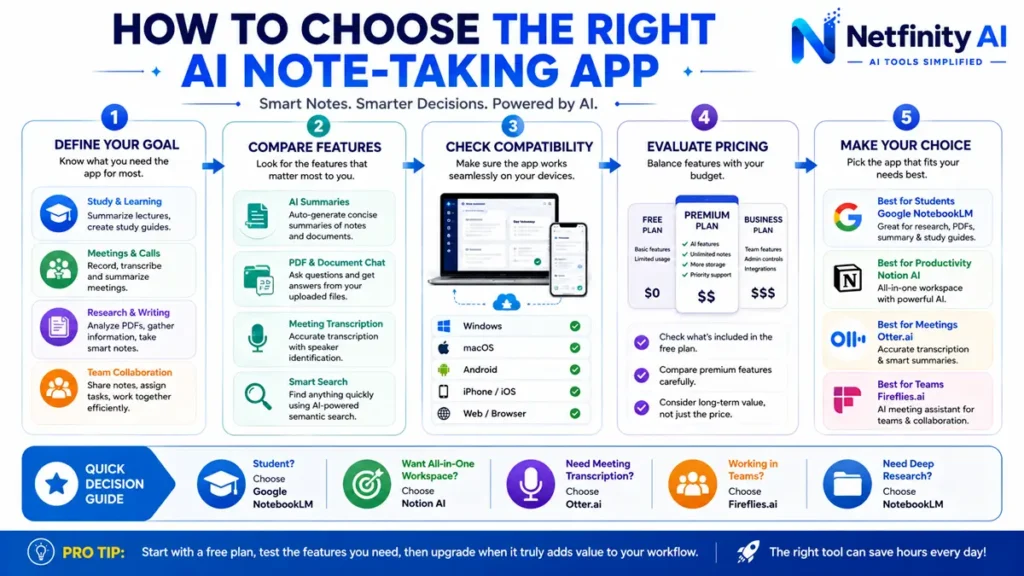
How to Choose the Best AI Note-Taking App
Choose an app based on your primary needs:
- Students: Google NotebookLM or Notion AI
- Meeting transcription: Otter.ai or Fireflies.ai
- Personal knowledge management: Obsidian or Mem AI
- Microsoft users: OneNote + Copilot
- Apple users: Apple Notes + Apple Intelligence
- Project collaboration: ClickUp AI
Consider factors such as pricing, AI capabilities, collaboration tools, device compatibility, and whether you need offline access.
Pro Tip
AI note-taking apps work even better when paired with effective prompting. Learn how to write better prompts in our tutorial: 100+ Best ChatGPT Prompts for Students
Frequently Asked Questions (FAQs)
What is the best AI note-taking app?
Google NotebookLM is one of the best AI note-taking apps for students and researchers because it can analyze your own documents, generate summaries, answer questions, and create study guides. For all-around productivity, Notion AI is another excellent choice.
Are AI note-taking apps free?
Many AI note-taking apps offer free plans with basic features. Google NotebookLM, Notion AI, Otter.ai, and Obsidian all provide free options, while premium plans unlock advanced AI capabilities and collaboration tools.
Which AI note-taking app is best for students?
Google NotebookLM is an excellent option for students thanks to its ability to summarize lecture notes, explain PDFs, and create study materials. It works especially well when paired with effective prompting techniques.
Can AI summarize my lecture notes?
Yes. Modern AI note-taking apps can summarize lecture notes, PDFs, meeting transcripts, and research papers into concise, easy-to-review study notes.
Is AI note-taking safe?
Most reputable AI note-taking apps use encryption and privacy controls. However, always review the provider’s privacy policy before uploading sensitive personal or business information.
Final Verdict
AI note-taking apps have become essential tools for students, professionals, and researchers. They save time by organizing information, summarizing lengthy notes, generating study materials, and making knowledge easier to find.
If you’re looking for the best overall choice, Google NotebookLM stands out for research and studying. Notion AI is ideal for productivity, while Otter.ai excels at meeting transcription and OneNote + Copilot is a strong option for Microsoft users.
The right app depends on your workflow, budget, and the devices you use every day.
Related Guides
Continue exploring AI productivity with these helpful resources:
👉 Best AI Productivity Tools
👉 Best AI Tools for Students
👉 How to Use ChatGPT for Studying
👉 How to Use AI for Homework
👉 100+ Best ChatGPT Prompts for Students
Find the Right AI Tool Faster
At Netfinity AI, we test and compare the latest AI tools so you can choose the right solution with confidence. Browse our expert reviews, tutorials, and comparisons to stay ahead in the fast-changing world of artificial intelligence.
Explore More AI Tools →