
How to Use AI for Homework (Responsibly)
Learn how students can use AI responsibly for homework, research, writing, math, and exam preparation while improving learning instead of simply copying answers.
Quick Facts
- Category: Tutorials
- Audience: Students
- Difficulty: Beginner
- Reading Time: 9 Minutes
- Updated: 2026
AI is changing the way students learn, complete assignments, and prepare for exams. Instead of spending hours searching for information across multiple websites, students can now use AI tools to understand concepts, organize ideas, solve practice problems, and improve their homework.
However, using AI effectively doesn’t mean letting it do all the work.
The smartest students use AI as a learning assistant rather than a shortcut. When used responsibly, AI can improve critical thinking, save time, and help students build stronger academic skills without violating school policies.
In this guide, you’ll learn how to use AI for homework effectively, discover practical prompts, avoid common mistakes, and understand the ethical way to study with AI.
If you’re new to AI learning, you may also enjoy our guides on How to Use ChatGPT for Studying and Best AI Tools for Students.Can AI Help with Homework?
Yes.
Modern AI tools can assist students with many homework-related tasks, including understanding complex concepts, generating practice questions, improving writing, organizing research, checking grammar, and creating study plans.
Instead of replacing learning, AI should support your learning process.
For example, rather than asking AI to write an entire essay, ask it to explain the topic, suggest an outline, identify weak arguments, or improve grammar after you’ve written the first draft.
This approach helps students develop knowledge while benefiting from AI assistance.
Benefits of Using AI for Homework
Using AI responsibly offers several advantages for students.
Better Understanding
AI explains difficult concepts in simple language using examples that match your learning level.
Faster Research
Instead of visiting dozens of websites, students can quickly gather background information before conducting deeper research.
Improved Writing
AI helps improve grammar, sentence structure, clarity, and organization without replacing your original ideas.
If you’re interested in more writing assistants, explore our AI Writing resource.Better Time Management
Students can generate study schedules, homework plans, and revision checklists within seconds.
For more productivity-focused tools, visit our guide to Best AI Productivity Tools.Personalized Learning
AI adapts explanations based on your questions, making learning more interactive than reading textbooks alone.
When Should Students Use AI?
AI is most helpful before, during, and after completing homework.
You can use AI to:
- Understand new topics
- Review lecture notes
- Brainstorm ideas
- Generate practice questions
- Check grammar
- Verify calculations
- Create revision summaries
- Prepare for exams
The key is to remain actively involved in the learning process rather than relying on AI for final answers.
How to Use AI for Homework Effectively
The best way to use AI is through a structured workflow.
Instead of asking AI to complete your homework, follow these practical steps.
Step 1
Read your homework instructions carefully before opening any AI tool.
Understand:
- What your teacher is asking.
- Submission requirements.
- Academic rules.
- Deadline.
Never rely on AI before understanding the assignment yourself.
Step 2
Break large assignments into smaller questions.
Instead of asking:
“Do my homework.”
Ask:
“Explain Newton’s First Law using simple real-life examples.”
Specific questions produce much better answers.
Step 3
Use AI to understand concepts first.
Learning always comes before writing.
Once you understand the topic, completing the assignment becomes much easier.
Still unsure which AI assistant is right for homework? Read our complete ChatGPT vs Google NotebookLM comparison.
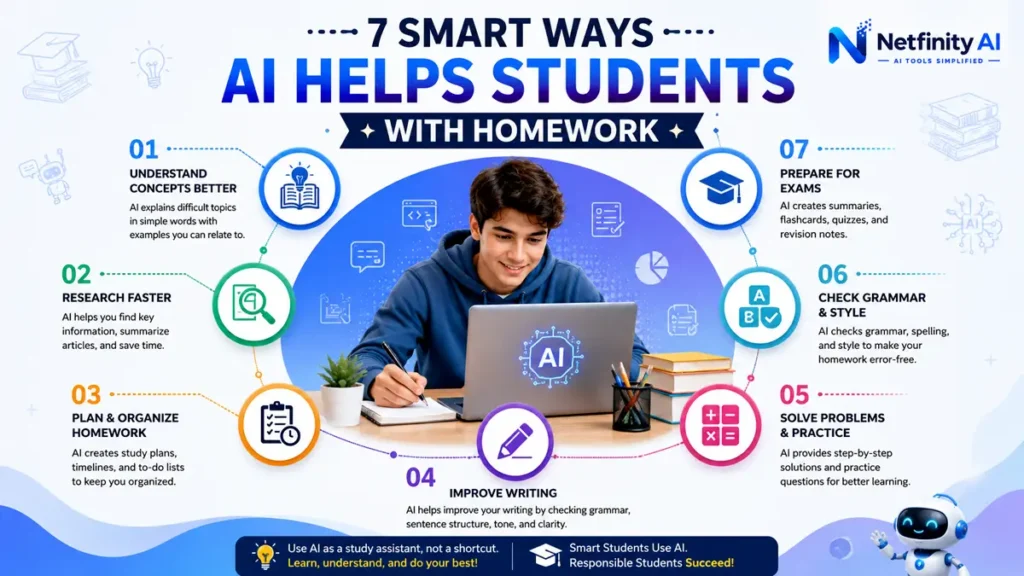
10 Smart Ways to Use AI for Homework
AI is most effective when you use it as a learning partner instead of a homework machine. Here are ten practical ways students can benefit from AI while still developing their own knowledge and critical thinking skills.
1. Understand Difficult Concepts
One of the best uses of AI is explaining topics you don’t understand.
Instead of searching through multiple websites or watching several videos, ask AI to explain the concept in simple language.
Example prompt:
Explain photosynthesis like I'm a 14-year-old student with real-life examples.2. Break Down Complex Questions
Large homework questions can feel overwhelming.
AI can divide them into smaller, manageable tasks so you know where to start.
Instead of asking for the final answer, ask:
Break this homework question into smaller steps I should complete.3. Brainstorm Ideas
Stuck before writing an essay?
AI can generate topic ideas, arguments, headlines, and outlines without writing the entire assignment.
This keeps your work original while saving valuable planning time.
4. Create an Essay Outline
Before writing, let AI organize your thoughts.
Example:
Create a logical outline for a 1000-word essay about renewable energy.You should still write the essay yourself.
5. Improve Grammar and Clarity
After finishing your homework, ask AI to review it.
Example prompt:
Improve the grammar and readability without changing my ideas.This is much more ethical than asking AI to write everything.
For additional writing assistants, explore our guide to AI Writing Tools:
AI Writing6. Generate Practice Questions
One of AI’s most powerful features is creating unlimited practice exercises.
Example:
Generate 20 multiple-choice questions about World War II with answers.Practicing questions helps students remember information better than simply reading notes.
7. Solve Math Step by Step
Instead of copying the final answer, ask AI to explain each calculation.
Example:
Show every step for solving this algebra equation and explain why each step works.Understanding the process is more valuable than memorizing answers.
8. Summarize Long Articles
Research papers and textbooks can be lengthy.
AI can summarize important information into key points before you begin studying.
Example:
Summarize this chapter into ten important points.9. Build a Study Schedule
AI can organize homework around your available time.
Example:
Create a homework and revision schedule for the next seven days.Students who plan their study sessions usually experience less stress before exams.
For more productivity techniques, visit:
Best AI Productivity Tools10. Review Before Submission
Before submitting homework, ask AI to review:
- Grammar
- Spelling
- Missing information
- Weak arguments
- Formatting mistakes
Always perform the final review yourself.
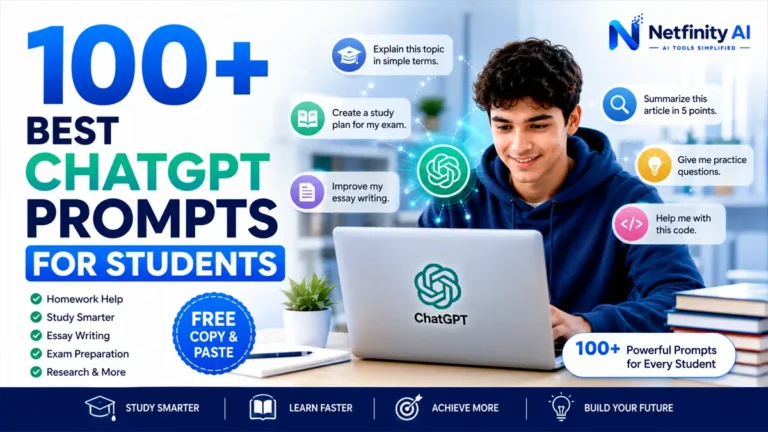
Best AI Prompts for Homework
These prompts help students learn rather than copy answers.
Explain a Topic
Explain this topic in simple language with real-life examples.Homework Planning
Create a step-by-step plan to complete this homework assignment.Essay Outline
Create an outline without writing the essay.Practice Quiz
Generate ten quiz questions based on this chapter.Improve Writing
Improve grammar while keeping my original writing style.Research Summary
Summarize this article into five important points.Study Notes
Convert these notes into an easy revision sheet.Exam Preparation
Ask me questions one by one like a teacher.Common Mistakes Students Make
Many students use AI incorrectly, which reduces learning instead of improving it.
Avoid these common mistakes:
❌ Copying AI answers directly
❌ Skipping textbooks completely
❌ Trusting every AI response without verification
❌ Asking AI to complete assignments from start to finish
❌ Ignoring your school’s academic integrity policy
Instead:
✅ Understand first
✅ Think independently
✅ Edit AI suggestions
✅ Verify important facts
✅ Learn from every response

Can Students Use AI for Homework Without Cheating?
Yes—students can absolutely use AI for homework without cheating.
The key difference lies in how AI is used.
Think of AI as a digital tutor rather than a homework replacement. It should help you understand concepts, organize ideas, practice problems, and improve your work—not produce assignments that you submit unchanged.
Responsible AI use helps students become better learners while maintaining academic integrity.
Use AI to:
- Understand difficult concepts
- Generate study plans
- Brainstorm essay ideas
- Improve grammar and clarity
- Create practice quizzes
- Review your completed homework
Avoid using AI to:
- Submit AI-generated essays as your own
- Complete exams where AI is prohibited
- Copy answers without understanding them
- Ignore your school’s academic honesty policy
The goal is simple:
Use AI to learn more—not to think less.
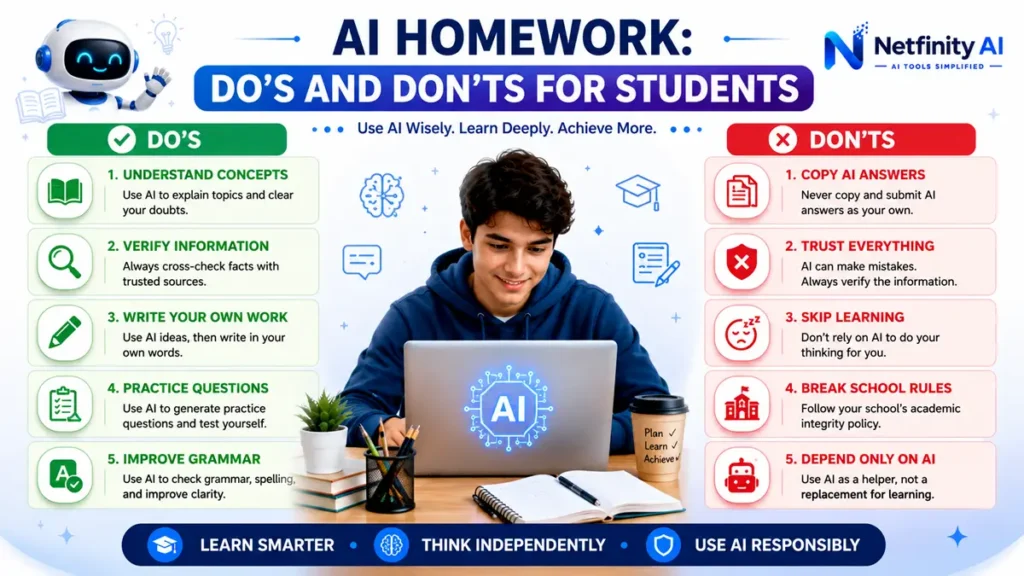
Do’s and Don’ts of Using AI for Homework
| ✅ Do | ❌ Don’t |
|---|
| Ask AI to explain concepts | Copy AI answers directly |
| Verify facts using trusted sources | Trust every AI response blindly |
| Write your own assignments | Submit AI-generated work unchanged |
| Use AI to review your writing | Depend on AI for every homework task |
| Follow your school’s AI policy | Use AI during prohibited exams |
Best AI Tools for Homework
Different AI tools are useful for different homework tasks.
| AI Tool | Best For |
|---|---|
| ChatGPT | Homework help, explanations, writing, brainstorming |
| Google Gemini | Research and Google integration |
| Microsoft Copilot | Microsoft 365 and productivity |
| Claude | Long documents and summaries |
| NotebookLM | Studying from your own notes and PDFs |
If you’re looking for a broader comparison, check out our guide to:
Best AI Tools for StudentsFrequently Asked Questions
Is it okay to use AI for homework?
Yes, as long as you use AI responsibly to support learning rather than replacing your own work.
Which AI tool is best for homework?
ChatGPT, Claude, Gemini, and Microsoft Copilot are among the most popular AI tools for homework assistance. The best choice depends on your subject and study needs.
Can teachers detect AI homework?
Some schools use AI-detection tools, but they are not always accurate. The safest approach is to write your own work and use AI only as a learning assistant.
Can AI solve math homework?
Yes. AI can explain formulas, demonstrate step-by-step solutions, and generate similar practice problems. Always verify calculations before submitting assignments.
Should students copy AI answers?
No. AI should help you understand the material, not replace your own thinking. Copying answers reduces learning and may violate academic integrity policies.
Final Thoughts
Artificial intelligence is becoming an important part of modern education, but the most successful students use it wisely.
Instead of asking AI to complete homework, use it to understand difficult topics, organize your ideas, practice challenging questions, and improve your writing. This approach helps you learn faster while building valuable critical-thinking skills.
As AI continues to evolve, students who know how to work with AI responsibly will have a significant advantage in school, university, and future careers.
If you’re beginning your AI learning journey, explore our other student resources:
- How to Use ChatGPT for Studying
- Best AI Tools for Students
- AI Writing Tools
- Best AI Productivity Tools
Continue Learning with AI
Discover expert AI tutorials, comparisons, productivity guides, and practical tools designed to help students learn smarter and achieve better results.
Explore More AI Tools →