Claude Code vs GitHub Copilot (2026): Which Is Better?
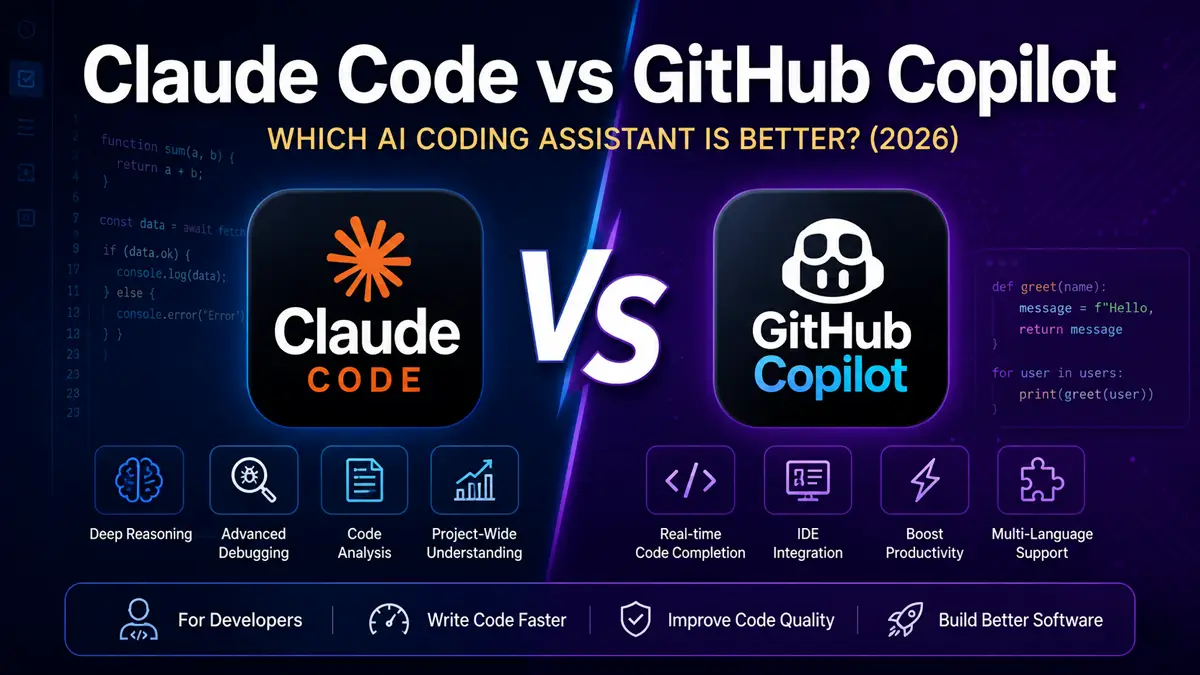
AI coding assistants have become essential tools for developers, helping them write code faster, fix bugs, explain complex logic, and improve overall productivity. Two of the most powerful options available in 2026 are Claude Code and GitHub Copilot.
Although both tools are designed to assist software developers, they take different approaches. Claude Code, developed by Anthropic, focuses on thoughtful reasoning, code understanding, debugging, and project-wide assistance. GitHub Copilot, developed through GitHub in collaboration with OpenAI, is deeply integrated into popular code editors and excels at real-time code completion and developer workflows.
So, which AI coding assistant is the better choice?
In this comprehensive comparison, we’ll evaluate Claude Code and GitHub Copilot across coding quality, debugging, supported IDEs, programming languages, productivity, pricing, ease of use, and overall value. By the end of this guide, you’ll know which AI coding assistant best fits your development workflow.
If you’re exploring AI tools, you may also find these comparisons helpful: ChatGPT vs Claude, Claude vs Gemini, Microsoft Copilot vs ChatGPT, Grok vs ChatGPT, and ChatGPT vs Gemini.
Claude Code vs GitHub Copilot: Quick Comparison
If you want a quick answer, GitHub Copilot is an outstanding choice for developers who prefer AI assistance directly inside their code editor, while Claude Code shines in understanding large codebases, debugging complex problems, and explaining technical concepts. Both are excellent AI coding assistants, but the best choice depends on your workflow and development needs.
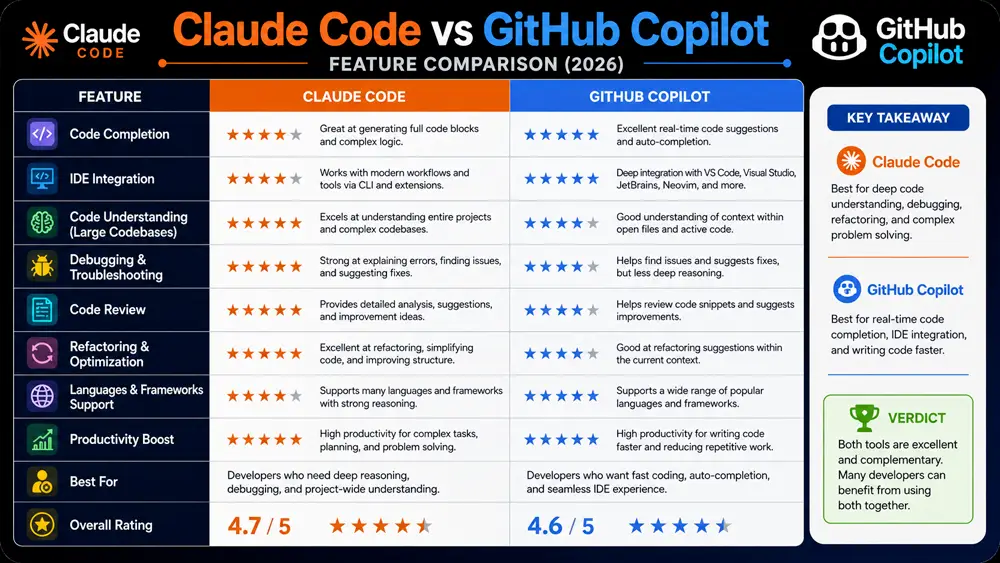
Comparison Table
| Feature | Claude Code | GitHub Copilot |
|---|---|---|
| Developer | Anthropic | GitHub / OpenAI |
| Best For | Code reasoning & debugging | Code completion |
| IDE Integration | Yes | Excellent |
| Code Completion | ⭐⭐⭐⭐☆ | ⭐⭐⭐⭐⭐ |
| Debugging | ⭐⭐⭐⭐⭐ | ⭐⭐⭐⭐☆ |
| Large Codebase Understanding | ⭐⭐⭐⭐⭐ | ⭐⭐⭐⭐☆ |
| Productivity | ⭐⭐⭐⭐⭐ | ⭐⭐⭐⭐⭐ |
| Overall Rating | ⭐⭐⭐⭐⭐ | ⭐⭐⭐⭐⭐ |
Looking for another developer-focused AI comparison? Read our Microsoft Copilot vs ChatGPT guide to see how Microsoft’s AI assistant compares for broader productivity tasks.
Table of Contents
What Is Claude Code?
Claude Code is an AI coding assistant developed by Anthropic that helps developers write, understand, debug, and improve software projects. Unlike traditional autocomplete tools, Claude Code is designed to reason through complex programming problems, understand large codebases, explain existing code, and assist with refactoring and architecture decisions.
One of Claude Code’s biggest strengths is its ability to analyze entire projects instead of focusing only on the current file. This makes it particularly useful for debugging, reviewing code, generating documentation, and planning large software changes.
Whether you’re building web applications, APIs, automation scripts, or enterprise software, Claude Code provides thoughtful coding assistance that helps developers work more efficiently.
Learn more on the official Anthropic website.
What Is GitHub Copilot?
GitHub Copilot is an AI-powered coding assistant developed by GitHub in collaboration with OpenAI. It integrates directly into popular IDEs such as Visual Studio Code, Visual Studio, JetBrains IDEs, and Neovim, providing intelligent code suggestions as developers type.
GitHub Copilot is designed to speed up software development by completing lines of code, generating functions, writing boilerplate code, suggesting tests, and helping developers work more efficiently without leaving their editor.
Its deep IDE integration makes GitHub Copilot one of the most widely used AI coding assistants for developers working across many programming languages and frameworks.
Learn more on the official GitHub Copilot page.
Claude Code vs GitHub Copilot: Feature-by-Feature Comparison
Both Claude Code and GitHub Copilot help developers write better code, but they focus on different workflows.
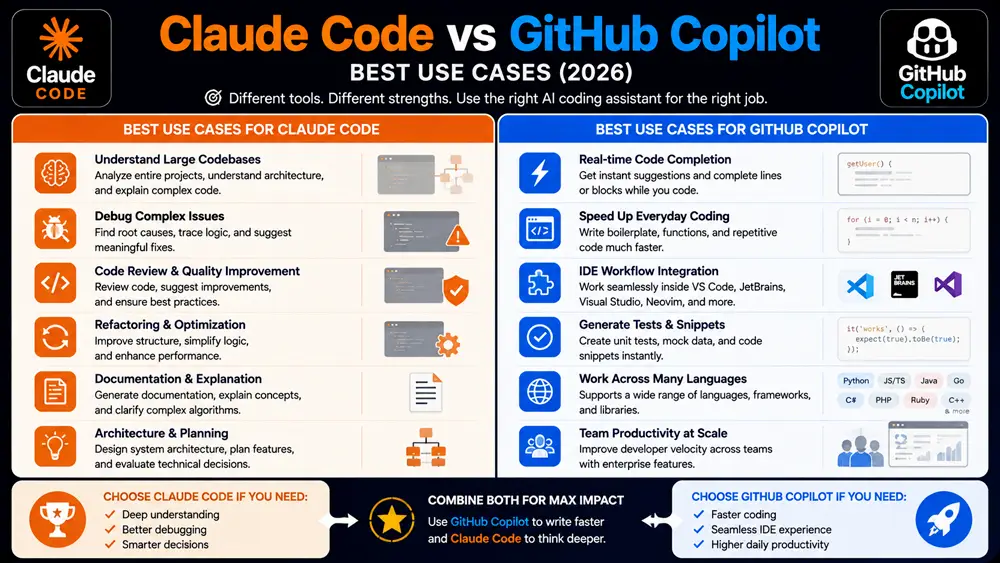
Claude Code excels at understanding complex codebases, debugging difficult issues, explaining code, and assisting with architectural decisions. GitHub Copilot specializes in real-time code completion and seamless IDE integration, making it ideal for developers who want AI suggestions while writing code.
The following sections compare both AI coding assistants across the features that matter most to modern software developers.
1. Code Completion
Code completion is one of the biggest productivity benefits offered by AI coding assistants.
GitHub Copilot is exceptionally strong in this area. It predicts the next line of code, completes entire functions, and suggests implementations directly inside supported IDEs. Its seamless integration with Visual Studio Code and other editors allows developers to maintain their coding flow with minimal interruption.
Claude Code also assists with writing code but focuses more on understanding the broader context of a project rather than continuously predicting the next line.
Winner: GitHub Copilot for real-time code completion and editor integration.
2. Code Understanding & Debugging
Understanding existing code is just as important as writing new code.
Claude Code is particularly effective at analyzing large codebases, explaining complex logic, identifying bugs, reviewing architecture, and suggesting meaningful improvements. Its reasoning capabilities make it valuable for debugging and maintaining mature software projects.
GitHub Copilot also helps identify coding mistakes and generate fixes, but its primary strength remains accelerating code creation rather than performing deep project-wide analysis.
Winner: Claude Code for debugging, reasoning, and understanding complex software projects.
3. IDE Integration
For many developers, seamless IDE integration is one of the most important factors when choosing an AI coding assistant.
GitHub Copilot is designed to work directly inside popular development environments, including Visual Studio Code, Visual Studio, JetBrains IDEs, and Neovim. Developers receive code suggestions, function completions, and AI assistance without leaving their editor, creating a fast and uninterrupted workflow.
Claude Code also integrates with modern development workflows but focuses more on understanding projects, reviewing code, and assisting with complex programming tasks rather than continuously suggesting code as you type.
Winner: GitHub Copilot for deep IDE integration and an uninterrupted coding experience.
4. Programming Language Support
Both Claude Code and GitHub Copilot support a wide range of modern programming languages.
GitHub Copilot performs exceptionally well with popular languages such as Python, JavaScript, TypeScript, Java, C#, Go, PHP, Ruby, C++, and Rust. Its extensive training allows it to generate useful code suggestions across many frameworks and libraries.
Claude Code also understands multiple programming languages and is particularly effective at explaining code, reviewing implementations, and helping developers improve existing projects. Rather than focusing only on autocomplete, it emphasizes reasoning and problem-solving across different technologies.
Winner: Tie. Both tools support the programming languages most developers use today, though they approach coding assistance differently.
5. Productivity
AI coding assistants are designed to reduce repetitive work and help developers focus on solving real problems.
GitHub Copilot increases productivity by generating boilerplate code, completing repetitive patterns, suggesting tests, and reducing the amount of manual typing required during development.
Claude Code improves productivity through code analysis, debugging assistance, documentation generation, refactoring suggestions, and project-wide reasoning. It often helps developers understand unfamiliar codebases much faster than traditional documentation alone.
Winner: Tie. GitHub Copilot speeds up code writing, while Claude Code improves decision-making and code quality throughout the development process.
6. Ease of Use
Both AI coding assistants are easy to adopt, but their experiences differ.
GitHub Copilot feels natural for developers because it works directly inside supported IDEs. Once installed, AI suggestions appear automatically while coding, requiring very little setup.
Claude Code provides a conversational experience that helps developers discuss architecture, review implementations, troubleshoot bugs, and plan software changes. Developers who prefer detailed explanations and collaborative problem-solving may find Claude Code especially helpful.
Winner: GitHub Copilot for plug-and-play simplicity, while Claude Code offers a richer experience for developers working through complex technical challenges.
Claude Code vs GitHub Copilot: Pricing
Both Claude Code and GitHub Copilot offer paid plans designed for individual developers and professional teams.
GitHub Copilot provides subscription options for individuals, businesses, and enterprises, making it a flexible choice for developers of all sizes. Depending on the plan, users gain access to advanced AI coding assistance, enterprise management features, and enhanced security controls.
Claude Code is available through Anthropic’s ecosystem and associated subscription plans. Pricing and available features may vary depending on how developers access Claude Code, but paid plans generally include higher usage limits and access to more advanced AI capabilities.
Winner: Tie. Both offer competitive pricing for professional developers, so the better value depends on your preferred workflow and development environment.
Claude Code Pros and Cons
Pros
- Excellent reasoning for complex programming tasks
- Strong debugging and code review capabilities
- Understands large codebases effectively
- Helpful for refactoring and software architecture
- Produces detailed technical explanations
Cons
- Less focused on continuous code completion
- Not as tightly integrated into IDEs as GitHub Copilot
- Learning workflow may differ from traditional autocomplete tools
GitHub Copilot Pros and Cons
Pros
- Outstanding real-time code completion
- Excellent Visual Studio Code integration
- Supports many programming languages
- Speeds up repetitive coding tasks
- Easy to install and use
Cons
- Less effective for deep architectural reasoning
- May require developers to review generated code carefully
- Project-wide understanding is generally not as strong as Claude Code
Claude Code vs GitHub Copilot for Students
Students learning programming need AI tools that explain concepts clearly while helping them write better code.
Claude Code is particularly useful for understanding algorithms, debugging assignments, explaining programming concepts, and learning software engineering principles. Its detailed explanations can help students build stronger programming skills.
GitHub Copilot helps students write code faster by suggesting functions, completing syntax, and reducing repetitive typing. However, students should understand the generated code instead of relying on autocomplete alone.
Recommendation: Claude Code is better for learning and understanding programming concepts, while GitHub Copilot is excellent for improving coding speed during practical projects.
Claude Code vs GitHub Copilot for Professional Developers
Professional developers often work with large projects, collaborative teams, and complex software systems.
GitHub Copilot significantly improves day-to-day productivity by generating code directly inside supported IDEs, making it ideal for developers who spend most of their time writing new features.
Claude Code complements this workflow by helping developers understand unfamiliar codebases, review implementations, troubleshoot complex issues, and make architectural decisions with confidence.
Recommendation: Many professional developers may benefit from using GitHub Copilot for rapid code generation while relying on Claude Code for debugging, reasoning, and project-wide analysis.
Claude Code vs GitHub Copilot for Teams
Development teams need AI tools that improve collaboration, maintain code quality, and speed up delivery without disrupting existing workflows.
GitHub Copilot is a strong choice for teams because it integrates directly into widely used IDEs and offers business and enterprise features for managing AI usage across organizations. Developers can stay in their familiar environment while benefiting from AI-assisted coding.
Claude Code complements team workflows by helping developers review pull requests, understand large codebases, explain unfamiliar modules, and improve overall code quality. Its reasoning capabilities are especially valuable when onboarding new team members or working on long-term projects.
Recommendation: GitHub Copilot is ideal for day-to-day coding productivity, while Claude Code adds significant value for code reviews, debugging, documentation, and architectural discussions.
Our Recommendation
Choosing between Claude Code and GitHub Copilot depends on how you write and maintain software.
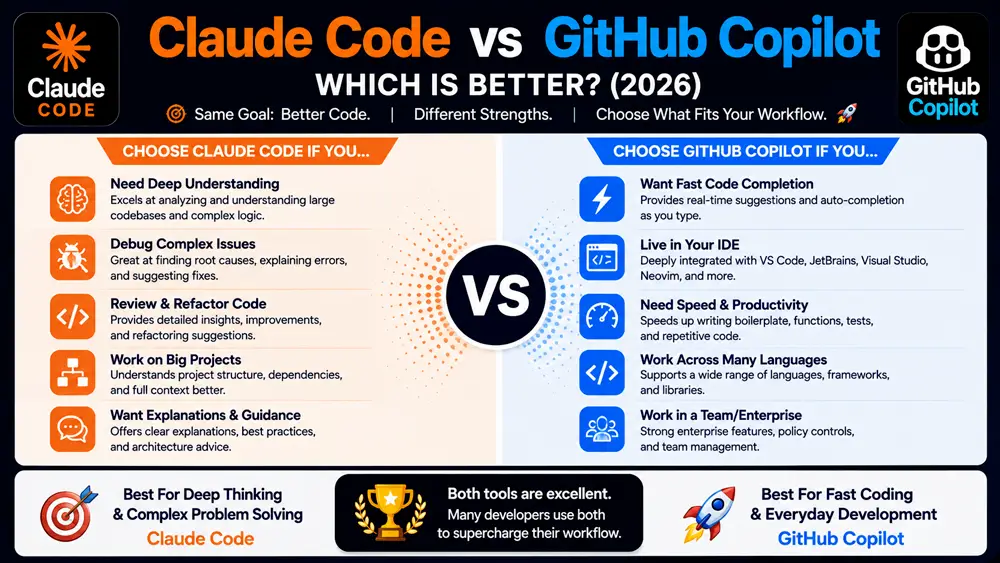
Choose GitHub Copilot if your priority is fast code completion, seamless IDE integration, and increased productivity while actively writing code. It is an excellent choice for developers who spend most of their time implementing features and want AI suggestions directly inside their editor.
Choose Claude Code if your work involves understanding complex codebases, debugging difficult issues, reviewing code, refactoring applications, or making architectural decisions. Its strength lies in thoughtful reasoning and helping developers solve challenging programming problems.
For many professional developers, these tools are complementary rather than direct replacements. GitHub Copilot can accelerate coding, while Claude Code can strengthen code quality, project understanding, and technical decision-making.
Final Verdict
Both Claude Code and GitHub Copilot are among the best AI coding assistants available in 2026, but they excel in different areas.
GitHub Copilot remains the leading choice for developers who want real-time code completion and a smooth coding experience inside their IDE. It can significantly reduce repetitive work and improve day-to-day development speed.
Claude Code stands out for its ability to understand large software projects, explain complex logic, review code, and assist with debugging and architectural decisions. It is particularly valuable for developers who work on mature applications or collaborate across large codebases.
Overall, if your goal is writing code faster, GitHub Copilot is the stronger option. If your goal is understanding, improving, and maintaining code, Claude Code offers advantages that many developers will appreciate.
Interested in more AI comparisons? Explore our ChatGPT vs Claude, Claude vs Gemini, ChatGPT vs Gemini, Grok vs ChatGPT, Microsoft Copilot vs ChatGPT, and Perplexity AI vs ChatGPT guides.
FAQs
Is Claude Code better than GitHub Copilot?
Claude Code is better for code understanding, debugging, refactoring, and architectural reasoning. GitHub Copilot is better for real-time code completion and everyday coding productivity.
Which AI coding assistant is better for beginners?
Beginners who want detailed explanations may prefer Claude Code, while those who want faster coding inside an IDE may find GitHub Copilot easier to use.
Does GitHub Copilot support multiple programming languages?
Yes. GitHub Copilot supports many popular programming languages, including Python, JavaScript, TypeScript, Java, C#, Go, PHP, Ruby, Rust, and C++.
Can Claude Code review existing projects?
Yes. One of Claude Code’s strengths is analyzing existing codebases, explaining complex logic, identifying potential issues, and assisting with refactoring and code reviews.
Should developers use both tools?
Many developers can benefit from using both. GitHub Copilot speeds up code writing, while Claude Code helps with debugging, reviewing, understanding, and improving larger software projects.