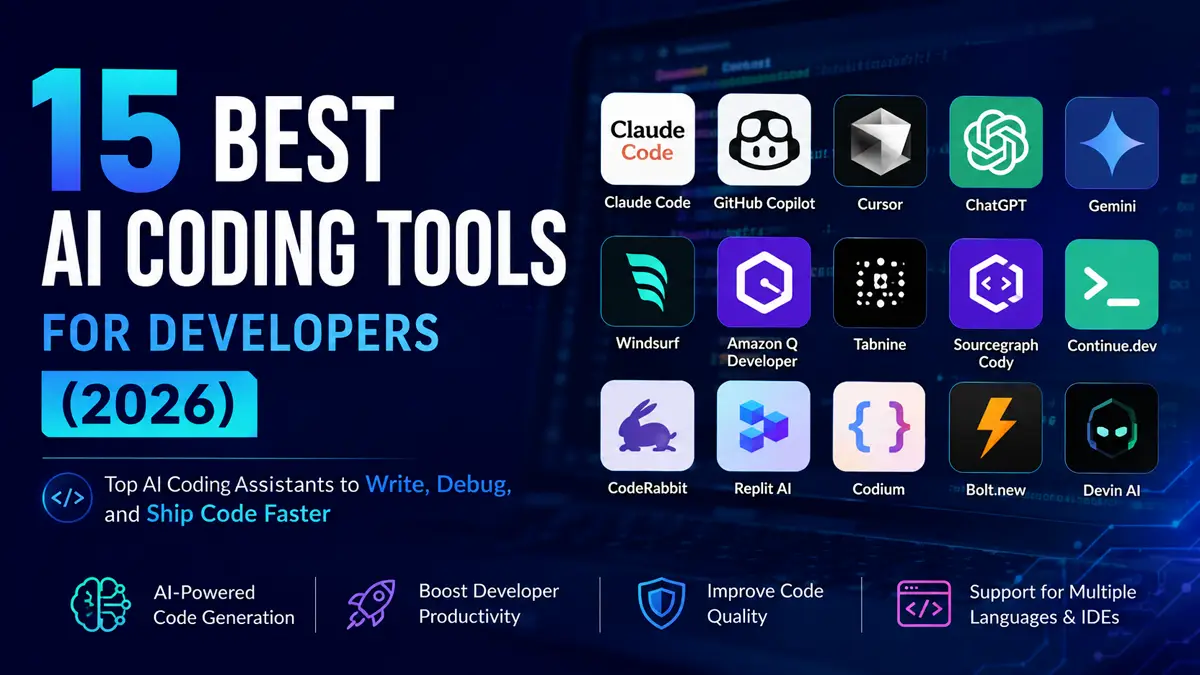
15 Best AI Coding Tools in 2026
Artificial intelligence is transforming software development. From writing code and debugging applications to reviewing pull requests and explaining complex algorithms, AI coding tools have become essential for developers of all skill levels.
Today’s AI coding assistants can automate repetitive tasks, improve code quality, accelerate debugging, and help developers build software faster than ever before. Whether you’re a beginner learning your first programming language or an experienced software engineer working on enterprise applications, choosing the right AI coding tool can significantly improve your productivity.
In this guide, we’ve selected the 15 best AI coding tools in 2026 based on coding quality, debugging capabilities, IDE integration, supported programming languages, ease of use, pricing, and overall developer experience. By the end, you’ll know which AI coding assistant best fits your workflow.
If you’re comparing popular AI coding assistants, you may also like our Claude Code vs GitHub Copilot, Microsoft Copilot vs ChatGPT, ChatGPT vs Claude, and Claude vs Gemini comparisons.
Table of Contents
Quick Comparison (Table)
| Tool | Best For | Free Plan | Rating |
|---|
| Claude Code | Debugging & reasoning | Limited | ⭐⭐⭐⭐⭐ |
| GitHub Copilot | Code completion | Trial | ⭐⭐⭐⭐⭐ |
| Cursor | AI-first coding | Yes | ⭐⭐⭐⭐⭐ |
| ChatGPT | General coding | Yes | ⭐⭐⭐⭐⭐ |
| Gemini | Google ecosystem | Yes | ⭐⭐⭐⭐☆ |
| Windsurf | AI IDE | Yes | ⭐⭐⭐⭐☆ |
| Amazon Q Developer | AWS developers | Yes | ⭐⭐⭐⭐☆ |
| Tabnine | Privacy-focused coding | Limited | ⭐⭐⭐⭐☆ |
| Sourcegraph Cody | Large codebases | Limited | ⭐⭐⭐⭐☆ |
| Continue.dev | Open-source AI coding | Yes | ⭐⭐⭐⭐☆ |
| CodeRabbit | AI code reviews | Limited | ⭐⭐⭐⭐☆ |
| Replit AI | Browser coding | Yes | ⭐⭐⭐⭐☆ |
| Codium | Code generation | Yes | ⭐⭐⭐⭐☆ |
| Bolt.new | Rapid prototyping | Limited | ⭐⭐⭐⭐☆ |
| Devin AI | Autonomous coding | Paid | ⭐⭐⭐⭐☆ |
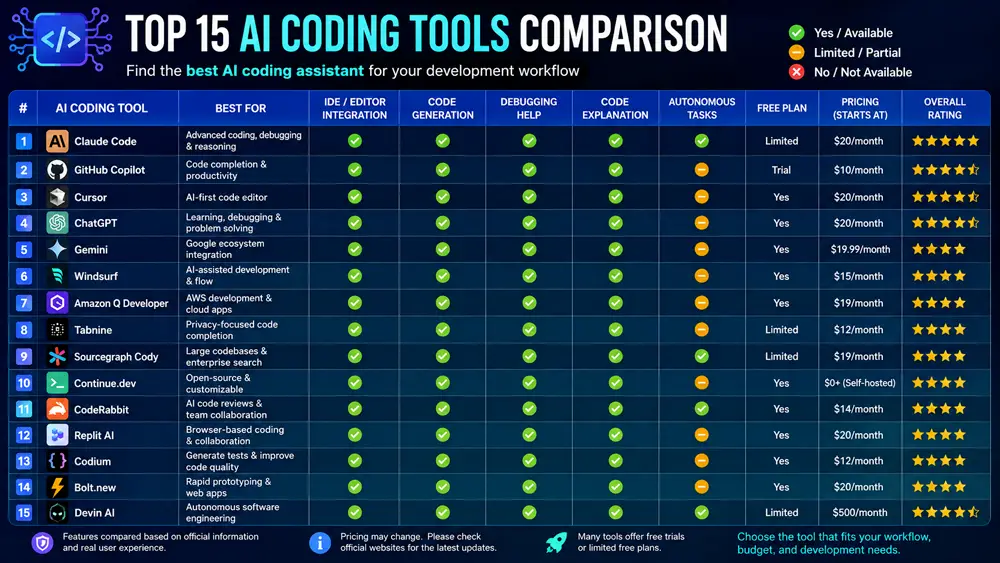
How We Selected These AI Coding Tools
Every tool in this list was evaluated using practical criteria that matter to developers rather than marketing claims.
We considered code quality, debugging performance, IDE integration, programming language support, documentation assistance, ease of use, collaboration features, pricing, and overall productivity. We also looked at community adoption, reliability, and how well each tool fits real-world software development workflows.
Our goal is to recommend AI coding tools that provide genuine value for students, freelance developers, startups, and professional engineering teams.
The 15 Best AI Coding Tools in 2026
1. Claude Code
Claude Code is one of the most capable AI coding assistants available today. Developed by Anthropic, it excels at understanding large codebases, explaining complex logic, debugging difficult issues, reviewing code, and assisting with software architecture.
Rather than focusing only on autocomplete, Claude Code helps developers reason through problems and improve code quality across entire projects.
Best for: Debugging, code reviews, refactoring, and enterprise software development.
2. GitHub Copilot
GitHub Copilot is one of the most popular AI coding assistants, offering real-time code suggestions directly inside supported IDEs such as Visual Studio Code and JetBrains.
It dramatically speeds up coding by generating functions, completing repetitive code, and helping developers stay focused without leaving their editor.
Best for: Everyday coding, code completion, and rapid software development.
3. Cursor
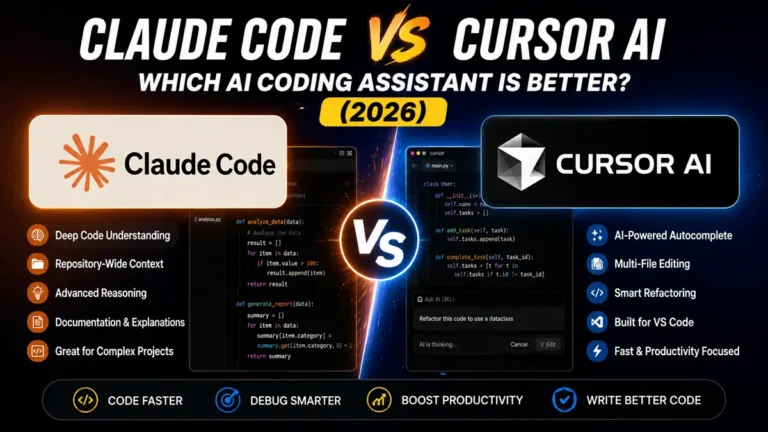
Cursor has quickly become one of the most popular AI-powered code editors for professional developers. Built on Visual Studio Code, it combines a familiar development environment with advanced AI capabilities, allowing developers to edit, refactor, explain, and generate code without constantly switching between applications.
One of Cursor’s biggest strengths is understanding the context of an entire project instead of only the current file. Developers can ask questions about their codebase, generate new features, fix bugs, and receive intelligent suggestions that consider project-wide context.
Cursor also supports multiple AI models, giving developers flexibility depending on their preferred workflow.
Best for: Professional developers building medium to large software projects.
Want a detailed comparison? Read our Claude Code vs GitHub Copilot guide to see how two leading AI coding assistants compare.
4. ChatGPT
Although ChatGPT is not a dedicated IDE, it remains one of the most versatile AI coding assistants available. Developers use it to explain programming concepts, generate code, debug errors, optimize algorithms, write documentation, and learn new programming languages.
Its conversational interface makes it particularly valuable when solving complex technical problems or exploring different implementation approaches. Many developers also use ChatGPT alongside their preferred IDE to review code or brainstorm solutions.
Best for: Learning, debugging, documentation, and general software development assistance.
Want to compare AI assistants beyond coding? Read our ChatGPT vs Gemini comparison.
5. Gemini
Gemini is Google’s AI assistant and integrates well with Google’s ecosystem of developer tools and cloud services. It supports code generation, debugging, documentation, and technical explanations while helping developers improve productivity across different programming tasks.
Developers already using Google Cloud services may find Gemini especially useful because of its growing integration with Google’s developer ecosystem.
Best for: Developers working within the Google ecosystem.
6. Windsurf
Windsurf is an AI-first development environment designed to simplify coding with intelligent assistance throughout the software development process. It focuses on understanding project context, generating code, suggesting improvements, and helping developers move from ideas to implementation more efficiently.
Its modern workflow makes it an attractive option for developers looking beyond traditional autocomplete tools.
Best for: AI-assisted software development and rapid project creation.
7. Amazon Q Developer
Amazon Q Developer is Amazon’s AI coding assistant designed for developers building applications on AWS. It helps generate code, explain cloud services, recommend best practices, and assist with debugging while supporting modern software development workflows.
Developers already using Amazon Web Services can benefit from its cloud-focused recommendations and integrations.
Best for: AWS developers and cloud-native applications.
8. Tabnine
Tabnine is a long-established AI coding assistant focused on privacy, productivity, and intelligent code completion. It supports numerous programming languages and integrates with many popular IDEs, making it a practical choice for developers seeking fast AI-assisted coding.
Organizations with strict privacy requirements often consider Tabnine because of its enterprise-focused deployment options.
Best for: Privacy-conscious developers and enterprise teams.
Tabnine is a long-established AI coding assistant focused on privacy, productivity, and intelligent code completion. It supports numerous programming languages and integrates with many popular IDEs, making it a practical choice for developers seeking fast AI-assisted coding.
Organizations with strict privacy requirements often consider Tabnine because of its enterprise-focused deployment options.
Best for: Privacy-conscious developers and enterprise teams.
More AI Coding Tools Worth Trying
9. Sourcegraph Cody
Sourcegraph Cody is designed for developers working with large and complex codebases. It uses codebase-aware AI to answer questions, explain unfamiliar files, generate new code, and help developers navigate enterprise-scale projects more efficiently.
Because it understands repository context, Cody is particularly valuable for engineering teams maintaining mature applications with thousands of files.
Best for: Large codebases and enterprise development.
10. Continue.dev
Continue.dev is an open-source AI coding assistant that integrates directly into popular IDEs. Developers can connect it with different AI models, customize workflows, and build an AI coding experience that fits their own development environment.
Its flexibility makes it popular among developers who prefer open-source tools and greater control over AI integrations.
Best for: Developers who want a customizable, open-source AI coding assistant.
11. CodeRabbit
CodeRabbit focuses on automated code reviews instead of traditional code generation. It analyzes pull requests, identifies potential issues, suggests improvements, and helps development teams maintain consistent code quality before changes are merged.
For teams practicing continuous integration and code review, CodeRabbit can reduce manual review time while improving overall software quality.
Best for: AI-powered pull request and code review automation.
12. Replit AI
Replit AI combines cloud-based development with built-in AI assistance, allowing developers to write, run, and deploy applications from a web browser. It is especially convenient for students, educators, and developers who want a simple development environment without installing software locally.
Its collaborative features also make it useful for pair programming and classroom projects.
Best for: Browser-based coding and collaborative development.
13. Codium
Codium helps developers generate code, improve productivity, and automate repetitive programming tasks. It supports multiple languages and integrates into common development workflows, making it a useful option for developers looking for AI-assisted coding without dramatically changing their existing tools.
Best for: General-purpose AI-assisted software development.
14. Bolt.new
Bolt.new enables developers to quickly build and prototype web applications using AI. Instead of manually configuring every project, developers can describe what they want to build and let the platform generate an initial working application.
This makes Bolt.new particularly useful for rapid prototyping, MVP development, and experimenting with new ideas.
Best for: Rapid web app prototyping and MVP development.
15. Devin AI
Devin AI is designed as an autonomous AI software engineer capable of handling more complex development tasks than traditional coding assistants. Rather than simply suggesting code, it can plan, execute, and iterate through programming tasks with varying levels of independence.
Although autonomous AI development is still evolving, Devin AI represents an interesting direction for the future of software engineering.
Best for: Exploring autonomous AI-assisted software development.
How to Choose the Right AI Coding Tool
The best AI coding tool depends on your experience level, development workflow, and the type of software you build. While all of the tools in this list use artificial intelligence to improve productivity, they solve different problems.
If you’re a beginner, look for an AI assistant that explains code clearly and helps you understand programming concepts instead of simply generating code. ChatGPT and Claude Code are excellent choices because they provide detailed explanations alongside code examples.
Professional developers often prioritize speed and IDE integration. GitHub Copilot and Cursor are strong options because they provide intelligent code suggestions directly inside popular development environments.
Teams working on large applications should consider tools that understand entire codebases, support collaboration, and improve code quality. Claude Code, Sourcegraph Cody, and CodeRabbit are particularly useful in these scenarios.
If your projects run on Amazon Web Services, Amazon Q Developer offers cloud-specific guidance and integrates naturally with AWS development workflows.
Choosing the right AI coding assistant ultimately comes down to your daily workflow. Many experienced developers even combine multiple AI tools to take advantage of each one’s strengths.
Free vs Paid AI Coding Tools
| Tool | Free Version | Paid Version | Best For |
|---|---|---|---|
| Claude Code | Limited | ✅ | Debugging & reasoning |
| GitHub Copilot | Trial | ✅ | Code completion |
| Cursor | ✅ | ✅ | AI-first coding |
| ChatGPT | ✅ | ✅ | Learning & coding |
| Gemini | ✅ | ✅ | Google ecosystem |
| Continue.dev | ✅ | Optional | Open source |
| Amazon Q Developer | ✅ | ✅ | AWS |
| Tabnine | Limited | ✅ | Enterprise |
| Sourcegraph Cody | Limited | ✅ | Large codebases |
| Replit AI | ✅ | ✅ | Browser development |
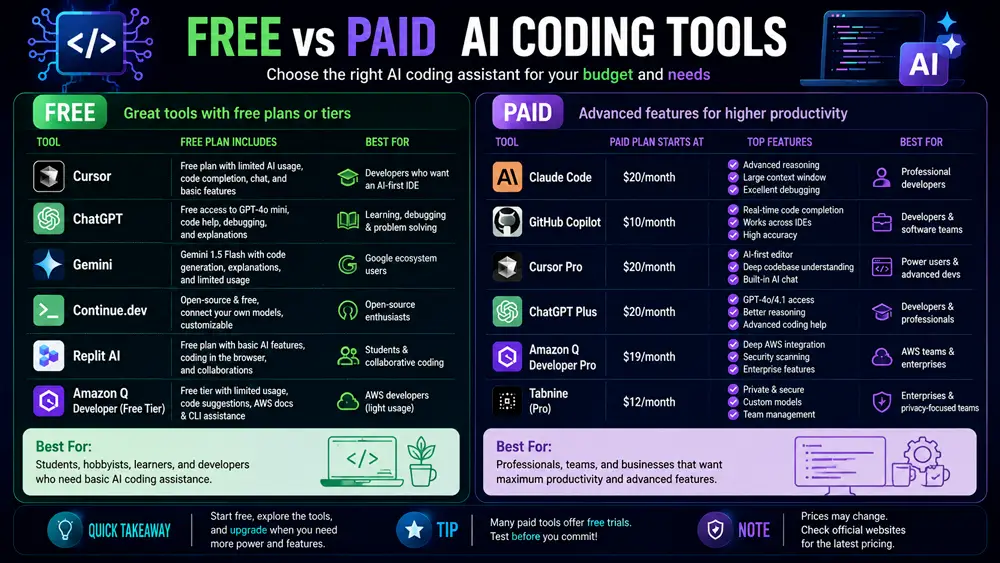
Best AI Coding Tools by Use Case
Different developers have different priorities, so there isn’t a single AI coding assistant that’s perfect for everyone. Based on our evaluation, here are our top recommendations for specific use cases.
| Use Case | Recommended Tool |
|---|---|
| 🏆 Best Overall | Claude Code |
| ⚡ Best for Productivity | GitHub Copilot |
| 💻 Best AI Code Editor | Cursor |
| 🎓 Best for Students | ChatGPT |
| ☁️ Best for AWS Developers | Amazon Q Developer |
| 🏢 Best for Enterprise Teams | Sourcegraph Cody |
| 🔍 Best for Code Reviews | CodeRabbit |
| 🔓 Best Open-Source Option | Continue.dev |
| 🚀 Best for Rapid Prototyping | Bolt.new |
| 💰 Best Free Option | Cursor |
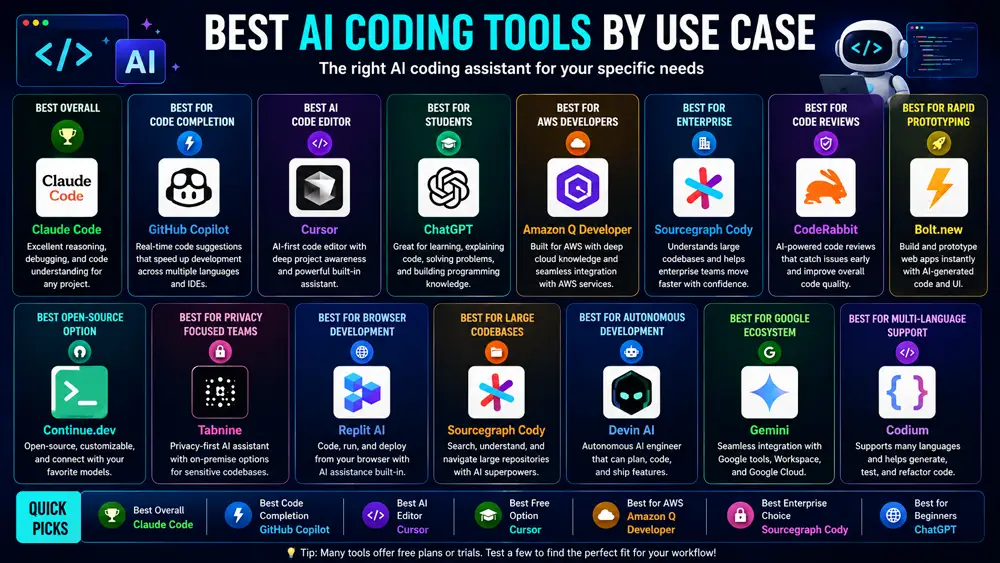
Our Top 5 Recommendations
After comparing all 15 AI coding tools, five stand out for most developers.
1. Claude Code – Best overall for debugging, code understanding, refactoring, and large projects.
2. GitHub Copilot – Best for developers who want fast code completion directly inside their IDE.
3. Cursor – Excellent AI-powered code editor with strong project awareness.
4. ChatGPT – Ideal for learning, debugging, documentation, and solving programming problems.
5. Gemini – A solid choice for developers who frequently use Google Cloud and other Google services.
Rather than replacing developers, these AI tools act as productivity partners. Choosing the right one depends on whether your priority is writing code faster, understanding complex systems, improving code quality, or accelerating software delivery.
Frequently Asked Questions
FAQ 1: What is the best AI coding tool in 2026?
Claude Code, GitHub Copilot, and Cursor are among the best AI coding tools in 2026. The right choice depends on whether you prioritize code completion, debugging, or project-wide reasoning.
FAQ 2: Which AI coding tool is best for beginners?
ChatGPT and Claude Code are excellent for beginners because they explain code, programming concepts, and debugging steps in a way that’s easy to understand.
FAQ 3: Is GitHub Copilot worth paying for?
GitHub Copilot is worth the subscription for many developers because it speeds up coding, integrates directly into popular IDEs, and reduces repetitive work.
FAQ 4: Is Cursor better than GitHub Copilot?
Cursor offers deeper project awareness and an AI-first coding experience, while GitHub Copilot excels at real-time code completion. The better choice depends on your workflow.
FAQ 5: Can AI replace software developers?
No. AI coding tools assist developers by automating repetitive tasks and improving productivity, but human developers are still essential for architecture, problem-solving, and decision-making.
FAQ 6: Which AI coding tool works best with Visual Studio Code?
GitHub Copilot, Cursor, Continue.dev, and Tabnine all provide excellent support for Visual Studio Code.
FAQ 7: Are there free AI coding tools?
Yes. Cursor, ChatGPT, Gemini, Continue.dev, Replit AI, and Amazon Q Developer all offer free plans or free usage tiers.
FAQ 8: Which AI coding tool is best for Python?
Claude Code, GitHub Copilot, Cursor, and ChatGPT all perform well for Python development, debugging, and learning.
Final Verdict
AI coding tools have become an essential part of modern software development, helping developers write code faster, reduce repetitive work, and improve code quality. However, no single tool is perfect for every workflow.
If you need outstanding code reasoning, debugging, and project-wide understanding, Claude Code is our top recommendation. If your priority is fast code completion directly inside your IDE, GitHub Copilot remains one of the strongest choices. Developers looking for an AI-first editor should consider Cursor, while ChatGPT continues to be an excellent companion for learning, documentation, and solving programming problems.
Ultimately, the best AI coding tool depends on your goals, programming experience, and daily workflow. Trying a few of these tools will help you discover which one fits your development style best.