
Best AI Tools for Students in 2026: 10 Tools to Study Smarter
Finding the right AI tool can make studying faster, but choosing one isn’t always easy. Some AI tools are excellent for explaining difficult concepts, while others are better for research, essay writing, note-taking, presentations, or exam preparation.
The best AI tools for students should do more than generate answers. They should help you understand difficult topics, organize study materials, improve your writing, and prepare more effectively while keeping you actively involved in the learning process.
In this guide, we compare 10 of the best AI tools for students in 2026, including tools for studying, research, writing, note-taking, presentations, organization, and exam preparation.
Whether you’re a high school student, college student, or university student, you’ll find options for different study needs and budgets—including several tools with useful free plans.
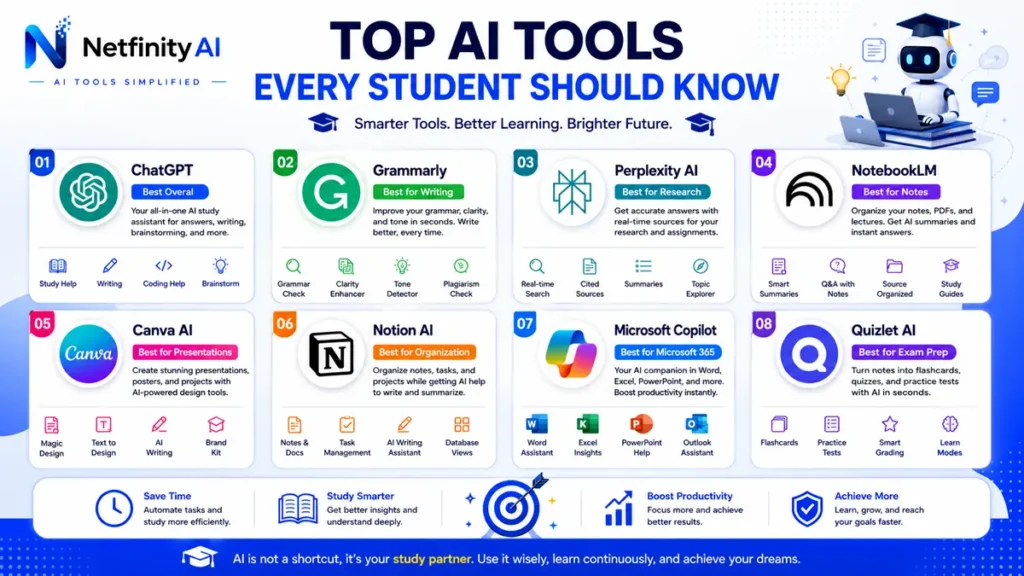
Quick answer: ChatGPT is our best overall AI study assistant, while Perplexity AI is our top pick for research, Grammarly for writing, NotebookLM for study materials, and Canva AI for presentations.
Best AI Tools for Students at a Glance
| Tool | Best For | Free Option | Best Student Use |
|---|---|---|---|
| ChatGPT | Overall AI study assistant | Yes | Explanations, brainstorming, study help |
| Perplexity | Research | Yes | Finding and checking sources |
| Grammarly | Writing | Yes | Grammar and writing improvement |
| NotebookLM | Study materials | Yes | Working with notes and sources |
| Canva AI | Presentations | Yes | Slides and visual projects |
| Notion AI | Organization | Limited | Notes and study planning |
| Quizlet | Exam preparation | Limited | Flashcards and practice |
| Otter.ai | Lecture notes | Limited | Transcription and summaries |
| Gamma | Presentations | Yes | Creating presentations |
| Microsoft Copilot | Microsoft users | Yes | Office-based study workflows |
Quick Facts
- Best For: Students, college learners, university students & researchers
- Difficulty: Beginner Friendly
- Free AI Tools: Yes
- Category: AI Education Tools
- Reading Time: 10 Minutes
🎓 Who Should Read This Guide?
This guide is designed for high school students, college students, university learners, online learners, researchers, educators, and anyone looking to improve studying, writing, research, note-taking, and academic productivity using artificial intelligence.
What Are AI Tools for Students?
AI tools for students are software applications that use artificial intelligence to support learning, improve productivity, and simplify academic tasks. These tools assist with writing essays, summarizing textbooks, taking notes, organizing research, solving mathematical problems, creating presentations, and preparing for exams.
Unlike traditional educational software, modern AI tools understand natural language and can generate explanations, answer questions, organize information, and personalize learning experiences. Many platforms also provide real-time writing assistance, grammar correction, citation support, brainstorming, and study recommendations.
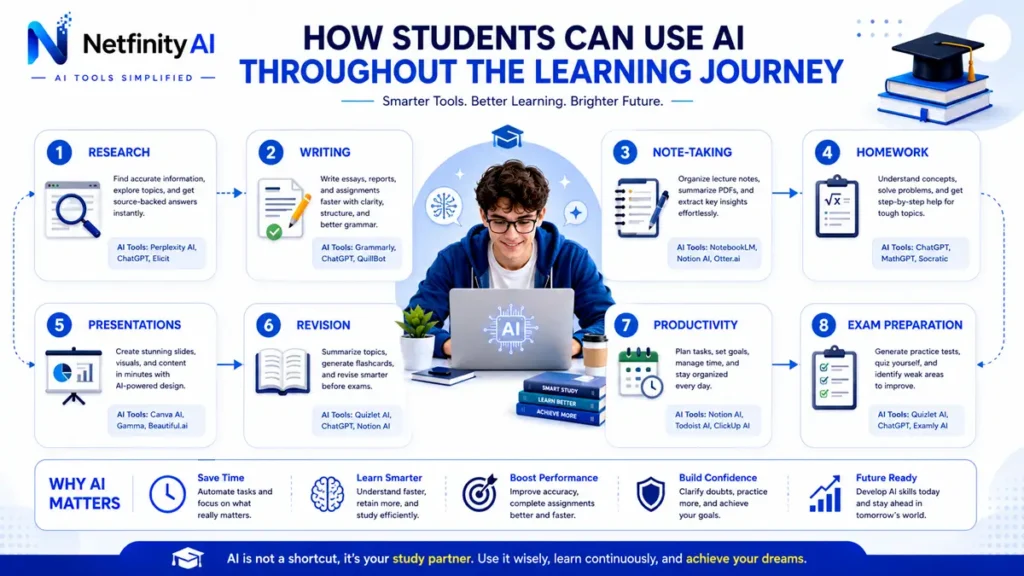
Students use AI throughout their academic journey—from researching topics and drafting assignments to reviewing lecture notes and preparing for final exams. When used responsibly, AI can reduce repetitive work, improve understanding of complex subjects, and help learners spend more time focusing on critical thinking rather than routine tasks.
It’s important to remember that AI should support learning rather than replace it. The most successful students use AI as a study assistant while continuing to develop their own knowledge, analytical skills, and original thinking.
Benefits of AI Tools for Students
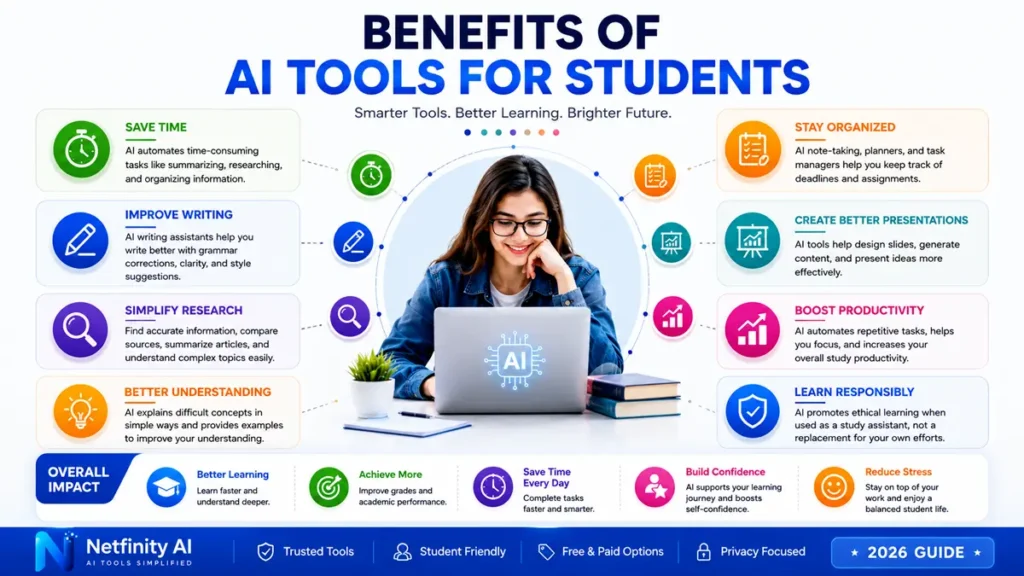
AI tools provide practical benefits that can help students learn more efficiently and stay organized throughout the academic year.
Save Study Time
AI can summarize lengthy textbooks, explain difficult concepts, and generate concise notes, allowing students to review material more quickly.
Improve Writing Quality
Writing assistants help correct grammar, improve sentence structure, enhance clarity, and provide suggestions for essays, reports, and assignments.
Simplify Research
AI research assistants help students find information, compare sources, summarize articles, and organize references for academic projects.
Stay Organized
Task management, calendars, and AI-powered note-taking tools help students keep track of deadlines, assignments, and study schedules.
Create Better Presentations
AI presentation tools generate professional slides, suggest layouts, and help students communicate ideas more effectively.
Learn More Efficiently
Many AI tools provide personalized explanations, interactive learning, and practice questions that help reinforce understanding of complex topics.
When used ethically and alongside independent learning, AI tools can become valuable study partners that improve both productivity and academic performance.
Best AI Tools for Students
The best AI tools for students do much more than generate text. They help with writing assignments, academic research, note-taking, presentations, grammar checking, brainstorming, and study planning.
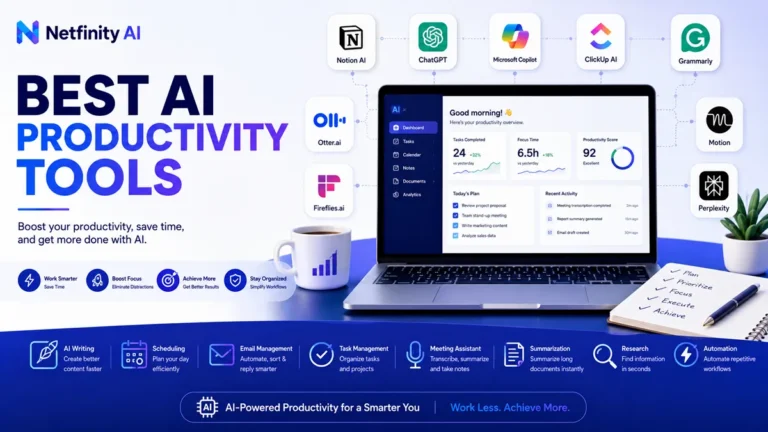
If you’re specifically looking for dedicated writing assistants, explore our comprehensive guide to AI Writing Tools. Students who want to improve study planning and time management should also read our guide to Best AI Productivity Tools.
How We Evaluate AI Tools for Students
We evaluate AI tools for students based on how useful they are in real academic workflows—not simply how popular they are.
Our evaluation considers learning usefulness, accuracy, ease of use, free-plan availability, student-friendly pricing, privacy, research capabilities, and overall value.
We also consider whether a tool helps students learn and work more effectively without encouraging them to replace their own thinking or violate academic-integrity policies.
Because AI products change frequently, features, pricing, and free-plan limits can change over time. Students should check the current terms and pricing on each tool’s official website before subscribing.
🏆 Our Top Picks
- Best Overall: ChatGPT
- Best for Research: Perplexity AI
- Best for Writing: Grammarly
- Best for Notes: NotebookLM
- Best for Presentations: Canva AI
1. ChatGPT ⭐⭐⭐⭐⭐
Best Overall AI Study Assistant
ChatGPT is one of the most versatile AI tools available for students. It explains complex concepts, generates essay outlines, summarizes lecture notes, assists with coding, and helps prepare for exams.
Whether you’re writing assignments, solving programming problems, or brainstorming ideas, ChatGPT can significantly improve your learning experience. Students working on essays may also benefit from our dedicated guide to AI Writing Tools, where we compare the best AI writing assistants in detail.
Students who want ready-to-use examples can also explore our guide to 100+ Best ChatGPT Prompts for Students.
Pros
✔ Excellent explanations
✔ Essay assistance
✔ Brainstorming
✔ Homework support
✔ Available on web & mobile
Cons
✘ Requires fact-checking
✘ Premium features require ChatGPT Plus
2. Grammarly ⭐⭐⭐⭐⭐
Best AI Writing Assistant
Grammarly helps students improve grammar, spelling, punctuation, clarity, and writing style. It provides real-time AI suggestions for essays, assignments, reports, and emails.
If writing is your primary goal, we recommend reading our complete AI Writing Tools guide to discover additional alternatives.Best For
- Essays
- Assignments
- Email writing
- Reports
Pros
- Easy to use
- Excellent grammar correction
- Browser extension
Cons
- Advanced AI features require Premium
3. Perplexity AI ⭐⭐⭐⭐⭐
Best AI Research Assistant
Perplexity AI combines conversational AI with web search, making it an outstanding research assistant for students. Unlike traditional chatbots, it cites reliable sources, helping you verify information and conduct academic research more confidently.
It’s particularly useful when preparing reports, research papers, or presentations.
Pros
- Source citations
- Fast research
- Excellent summaries
Cons
- Some advanced models require Pro
4. NotebookLM ⭐⭐⭐⭐⭐
Best AI Note-Taking Tool
NotebookLM organizes PDFs, lecture notes, research papers, and study materials into one intelligent workspace. Students can upload documents, ask questions, and instantly generate summaries or study guides.
For students who also want to improve daily organization, our Best AI Productivity Tools guide includes additional planning and workflow solutions.Pros
- Excellent for revision
- Personalized summaries
- Works with uploaded documents
Cons
- Feature availability may vary by region
5. Canva AI ⭐⭐⭐⭐☆
Best AI Presentation Tool
Canva AI makes it easy to create professional presentations, posters, classroom projects, and infographics. Students can use AI-powered design tools to produce visually engaging assignments without advanced design skills.
If you’re interested in creating AI-generated graphics, don’t miss our guide to AI Image Tools, where we review the best AI image generators.Pros
- Professional templates
- AI presentation creation
- Easy drag-and-drop editor
Cons
- Some premium templates require Canva Pro
6. Notion AI ⭐⭐⭐⭐☆
Best for Study Organization
Notion AI combines note-taking, task management, databases, and AI assistance into a single workspace. It’s an excellent choice for students managing multiple classes, assignments, and collaborative projects.
For more tools that improve organization and efficiency, explore our Best AI Productivity Tools guide.7. Microsoft Copilot ⭐⭐⭐⭐☆
Best for Microsoft 365 Users
Microsoft Copilot integrates seamlessly with Word, Excel, PowerPoint, and Outlook, helping students draft documents, analyze data, and create presentations more efficiently.
8. Gamma ⭐⭐⭐⭐☆
Best AI Presentation Generator
Gamma creates modern presentations with AI-generated layouts, visuals, and content suggestions, making it ideal for students preparing classroom presentations.
9. Quizlet AI ⭐⭐⭐⭐☆
Best for Exam Preparation
Quizlet AI helps students transform notes into flashcards, quizzes, and practice tests, making revision sessions more interactive and effective.
10. Otter.ai ⭐⭐⭐⭐☆
Best AI Meeting & Lecture Notes
Otter.ai records lectures, transcribes discussions, and generates searchable meeting notes. Students attending online classes or recorded lectures can save significant time while reviewing course material.
How to Choose the Right AI Tool for Students
Choosing the right AI tool depends on your academic goals, learning style, and daily workflow. Some students need help with writing essays, while others need better research, note-taking, presentations, or study planning.
Identify Your Primary Need
Start by asking yourself which task takes the most time.
- Writing assignments
- Research papers
- Lecture notes
- Homework
- Presentations
- Time management
Look for Student-Friendly Features
The best AI tools for students should offer:
- Free plans or student pricing
- Easy-to-use interface
- Reliable answers
- Cross-device support
- Cloud synchronization
- Strong privacy protection
Compare AI Capabilities
Some AI tools specialize in one area while others provide an all-in-one experience.
- ChatGPT excels at explanations and brainstorming.
- Grammarly focuses on writing improvement.
- Perplexity AI is ideal for research.
- NotebookLM helps organize study materials.
- Canva AI simplifies presentations.
Consider Integration
Choose AI tools that work with apps you already use, such as Google Docs, Microsoft Word, Google Drive, OneDrive, or Notion. This makes your workflow faster and more efficient.
Use AI to Learn, Not Replace Learning
AI should support your learning rather than replace your own thinking. Use it to explain difficult concepts, generate practice questions, organize notes, brainstorm ideas, and provide feedback on your work.
Be more careful when using AI to complete graded assignments, write essays for submission, or answer exam questions. Academic-integrity policies vary by school, university, course, and instructor, so always check the rules that apply to your work.
You should also verify important information yourself. AI tools can make mistakes, produce outdated information, or provide incorrect citations. For research, open and check the original sources before using them in academic work.
💡 Pro Tip
Instead of relying on one AI platform, build your own study toolkit. For example: ChatGPT for explanations, Grammarly for writing, Perplexity AI for research, NotebookLM for note-taking, and Canva AI for presentations. Using the right combination often delivers better results than using a single all-in-one tool.
Frequently Asked Questions
What is the best AI tool for students?
ChatGPT is one of the best overall AI tools for students because it supports writing, brainstorming, coding, research, and homework assistance.
Are AI tools free for students?
Many AI tools offer free plans, including ChatGPT, Grammarly, Perplexity AI, Canva AI, NotebookLM, and Quizlet. Premium plans provide additional features and higher usage limits.
Can students use AI for homework?
Yes. AI can explain concepts, generate practice questions, summarize notes, and assist with problem-solving. However, students should always verify information and follow their institution’s academic integrity policies.
Which AI tool is best for writing essays?
Grammarly and ChatGPT are excellent options. You can also explore our complete guide to AI Writing Tools for more recommendations.Which AI tool is best for research?
Perplexity AI is one of the strongest choices because it provides source-backed answers and summarizes information from multiple references.
Can AI improve productivity for students?
Yes. AI helps organize schedules, summarize lectures, automate repetitive tasks, and improve time management. Learn more in our guide to Best AI Productivity Tools.Which AI tool is best for presentations?
Canva AI and Gamma are excellent for creating presentations quickly with professional designs.
Is AI safe for students?
Most reputable AI platforms are safe when used responsibly. Avoid sharing sensitive personal information and always review each platform’s privacy policy.
Can AI replace studying?
No. AI should support learning by making study sessions more efficient, but it cannot replace critical thinking, practice, and independent understanding.
What is the best free AI tool for students?
ChatGPT, Perplexity AI, Grammarly, Canva AI, and NotebookLM all provide useful free versions suitable for most students.
Final Thoughts
Artificial intelligence is transforming education by helping students learn more efficiently, stay organized, and improve academic performance. Whether you need assistance with writing, research, presentations, or exam preparation, the right AI tool can save time while supporting better learning outcomes.
The best AI tool for students ultimately depends on your goals and study habits. Instead of relying on a single application, consider building a personalized AI toolkit that combines the strengths of different platforms.
At Netfinity AI, we continuously research and evaluate the latest AI tools to help students, professionals, and businesses make informed decisions. As new AI solutions emerge, we’ll keep this guide updated with the latest recommendations and insights.
If you’re interested in expanding your AI toolkit, explore our guides to AI Writing, AI Image, AI Video, AI Marketing, and AI Productivity.Explore More AI Resources
Discover expert AI guides, practical comparisons, and trusted recommendations to help you choose the best AI tools for learning, writing, productivity, marketing, image generation, and video creation.