Claude Code vs Cursor AI: Which AI Coding Assistant Is Better in 2026?
AI coding assistants have become essential tools for developers looking to write better code, debug faster, and improve productivity. Among the newest options, Claude Code from Anthropic and Cursor AI have attracted significant attention for their advanced coding capabilities and developer-focused workflows.
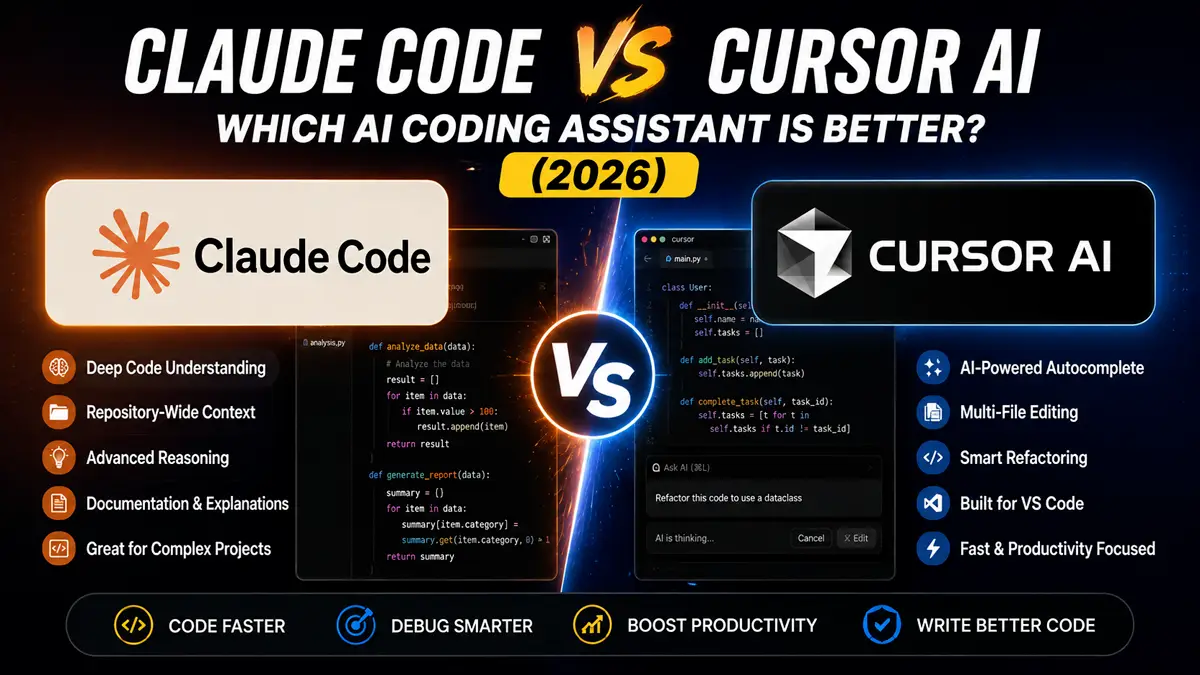
Although both tools leverage large language models to assist with programming, they take different approaches. Claude Code focuses on deep code understanding, repository-wide reasoning, and conversational coding, while Cursor AI integrates AI directly into a familiar development environment, emphasizing speed, autocomplete, and in-editor assistance.
Choosing between them depends on your workflow. Some developers prioritize intelligent code explanations and architectural reasoning, while others need fast code completion, refactoring, and seamless IDE integration.
In this guide, we’ll compare Claude Code vs Cursor AI to help you determine which AI coding assistant is the better choice in 2026.
Looking for more developer tools? Explore our Best AI Coding Tools (2026) guide.
At a Glance
| Feature | Claude Code | Cursor AI |
|---|---|---|
| Best For | Code reasoning | Daily coding |
| AI Model | Claude | Multiple models |
| IDE Integration | Terminal & CLI | VS Code-based |
| Code Completion | Excellent | Excellent |
| Debugging | Excellent | Excellent |
| Project Context | Excellent | Excellent |
| Free Plan | Limited | Yes |
| Overall Rating | ⭐⭐⭐⭐⭐ | ⭐⭐⭐⭐⭐ |
Quick Comparison
| Category | Winner |
|---|---|
| Ease of Use | Cursor AI |
| Deep Code Understanding | Claude Code |
| Code Completion | Cursor AI |
| Repository Analysis | Claude Code |
| Debugging | Tie |
| Refactoring | Cursor AI |
| Documentation | Claude Code |
| Value for Money | Cursor AI |
How We Compared Claude Code and Cursor AI
Choosing the right AI coding assistant isn’t just about which tool generates code faster. Developers also need an assistant that understands project context, produces reliable suggestions, integrates smoothly into existing workflows, and improves productivity without creating additional complexity.
For this comparison, we evaluated Claude Code and Cursor AI using the same criteria to ensure a fair assessment.
We focused on:
- Coding accuracy
- Project-wide context understanding
- Code completion quality
- Debugging capabilities
- Refactoring assistance
- Documentation generation
- IDE integration
- Ease of use
- Performance
- Pricing and overall value
Instead of relying solely on feature lists, we considered how each AI assistant performs during real-world development tasks such as writing new code, fixing bugs, explaining unfamiliar codebases, reviewing pull requests, and working with larger software projects.
Both tools are excellent, but they excel in different scenarios. The following sections explain where each platform performs best and which type of developer is likely to benefit the most.
Which AI Coding Assistant Should You Choose?
When comparing Claude Code vs Cursor AI, the right choice depends on your development workflow and coding preferences.
Claude Code focuses on deep reasoning, architecture discussions, repository-wide understanding, and generating detailed explanations. It is particularly valuable for developers working with large codebases or complex software systems.
Cursor AI emphasizes speed, productivity, and a seamless coding experience inside a VS Code–based editor. Its intelligent autocomplete, refactoring tools, and in-editor AI assistance make it an excellent choice for day-to-day software development.
The remainder of this guide compares both tools feature by feature to help you determine which one better fits your workflow and development style.
What Is Claude Code?
Claude Code is Anthropic’s AI coding assistant designed to help developers understand, write, edit, and debug code through natural language conversations. It excels at analyzing large codebases, explaining complex logic, generating documentation, and assisting with software architecture decisions.
One of Claude Code’s strengths is its ability to maintain context across large repositories, making it particularly useful for enterprise projects and developers working with complex systems.
Key Features
- Repository-wide code understanding
- Natural language coding assistance
- Bug detection
- Refactoring suggestions
- Documentation generation
- Architecture guidance
Pros
- Excellent reasoning ability
- Strong context awareness
- High-quality explanations
- Great for large projects
Cons
- Less IDE-centric than Cursor AI
- Premium features require subscription
Best For
Developers who value deep code understanding and complex project analysis.
See our detailed Claude Code vs GitHub Copilot comparison.
Official website: Anthropic Claude Code
What Is Cursor AI?
Cursor AI is an AI-powered code editor built on Visual Studio Code. It combines advanced AI models with a familiar IDE experience, allowing developers to write, edit, refactor, and debug code without leaving their editor.
One of Cursor AI’s biggest strengths is its seamless integration into the coding workflow. Developers can ask questions about their code, generate new functions, fix bugs, and edit multiple files using natural language commands.
Cursor AI supports multiple AI models and is designed to improve developer productivity while minimizing context switching.
Key Features
- AI code completion
- Multi-file editing
- AI chat inside the editor
- Smart refactoring
- Code generation
- Git integration
- Project-wide context
Pros
- Familiar VS Code interface
- Fast AI-assisted editing
- Excellent autocomplete
- Supports multiple AI models
- Beginner-friendly
Cons
- Some advanced features require a paid plan
- Performance depends on the selected AI model
Best For
Developers looking for a fast, AI-first coding experience inside their editor.
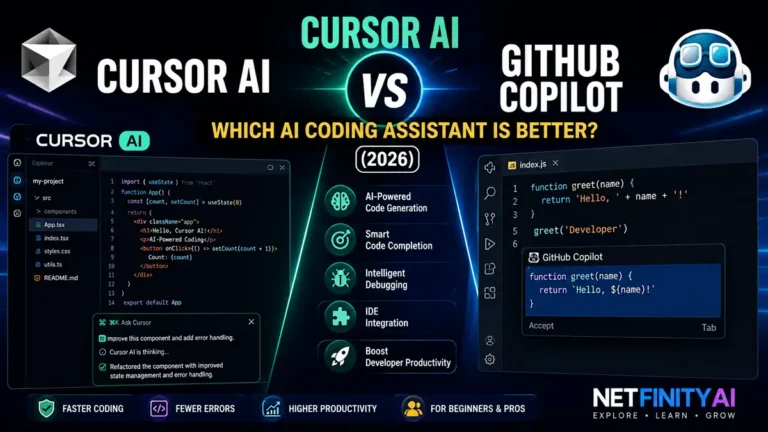
You may also like our Cursor AI vs GitHub Copilot guide.
Official website: Cursor AI
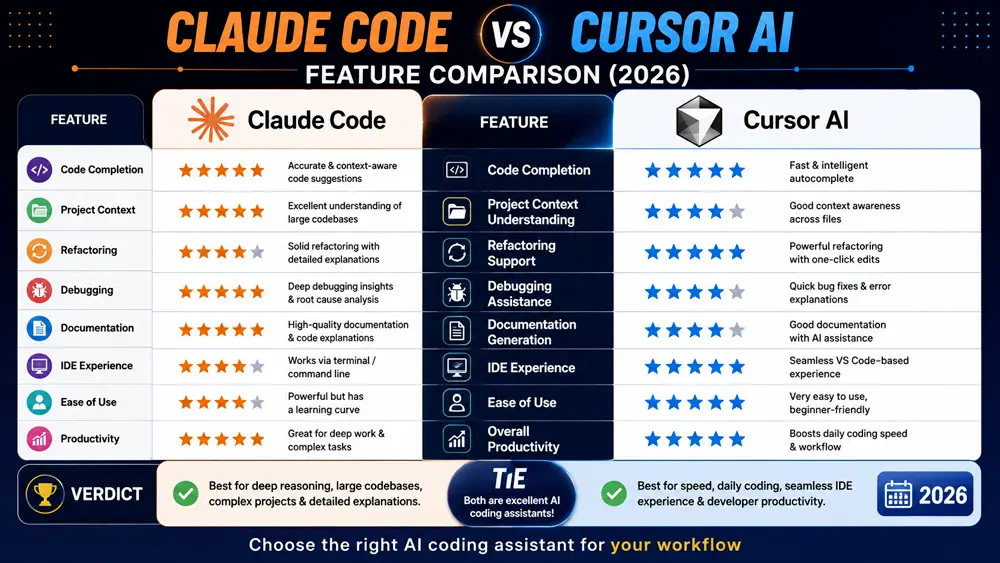
Feature-by-Feature Comparison
| Feature | Claude Code | Cursor AI | Winner |
|---|---|---|---|
| Code Completion | ⭐⭐⭐⭐⭐ | ⭐⭐⭐⭐⭐ | Tie |
| Project Context | ⭐⭐⭐⭐⭐ | ⭐⭐⭐⭐☆ | Claude Code |
| Refactoring | ⭐⭐⭐⭐☆ | ⭐⭐⭐⭐⭐ | Cursor AI |
| Debugging | ⭐⭐⭐⭐⭐ | ⭐⭐⭐⭐☆ | Claude Code |
| Documentation | ⭐⭐⭐⭐⭐ | ⭐⭐⭐⭐☆ | Claude Code |
| IDE Experience | ⭐⭐⭐⭐☆ | ⭐⭐⭐⭐⭐ | Cursor AI |
| Learning Curve | ⭐⭐⭐⭐☆ | ⭐⭐⭐⭐⭐ | Cursor AI |
| Productivity | ⭐⭐⭐⭐⭐ | ⭐⭐⭐⭐⭐ | Tie |
Claude Code vs Cursor AI Performance
When working on small coding tasks, both AI assistants provide fast and accurate code suggestions. However, their strengths become more apparent on larger projects.
Claude Code performs exceptionally well when analyzing large repositories, explaining unfamiliar code, generating documentation, and assisting with software architecture decisions. Its ability to maintain long-context conversations makes it especially useful for enterprise development.
Cursor AI shines during day-to-day programming. Features such as inline code generation, intelligent autocomplete, and quick refactoring help developers complete tasks faster without interrupting their workflow.
For most individual developers, Cursor AI offers a smoother editing experience, while Claude Code provides deeper reasoning for complex engineering problems.
Pricing Comparison
| Plan | Claude Code | Cursor AI |
|---|---|---|
| Free Version | Limited | Yes |
| Paid Plan | Available | Available |
| Enterprise | Yes | Yes |
Pricing and features may change over time, so check the official websites for the latest information.
For a broader comparison of AI assistants, read ChatGPT vs Claude.
Real-World Development Scenarios
Different AI coding assistants excel in different situations. Here are a few common scenarios to help determine which tool is the better fit.
Building a New Project
If you’re starting a new application from scratch, Cursor AI provides a faster workflow thanks to its intelligent autocomplete, inline editing, and seamless IDE integration. It helps developers write boilerplate code, generate functions, and refactor files without leaving the editor.
Working with Large Existing Codebases
Claude Code has the advantage when dealing with complex repositories. Its ability to understand project-wide context makes it particularly useful for enterprise software, legacy applications, and large engineering teams.
Debugging Difficult Issues
Both tools can identify bugs and suggest fixes, but Claude Code generally provides more detailed explanations about why an issue occurs, making it valuable for learning and troubleshooting complex logic.
Learning New Programming Languages
Developers learning a new language or framework often benefit from Claude Code’s conversational explanations and detailed examples. Cursor AI is also helpful but focuses more on rapid implementation than teaching concepts.
Daily Software Development
For everyday programming tasks—including writing features, editing code, navigating files, and performing refactoring—Cursor AI offers one of the smoothest AI-assisted development experiences available.
Which AI Coding Assistant Offers Better Value?
When comparing overall value, it’s important to look beyond pricing.
Claude Code provides exceptional reasoning, repository understanding, and documentation support, making it an excellent investment for developers working on large or complex software projects.
Cursor AI delivers outstanding day-to-day productivity through its integrated editor, intelligent autocomplete, and efficient coding workflow. Developers who spend most of their time inside an IDE are likely to see immediate productivity gains.
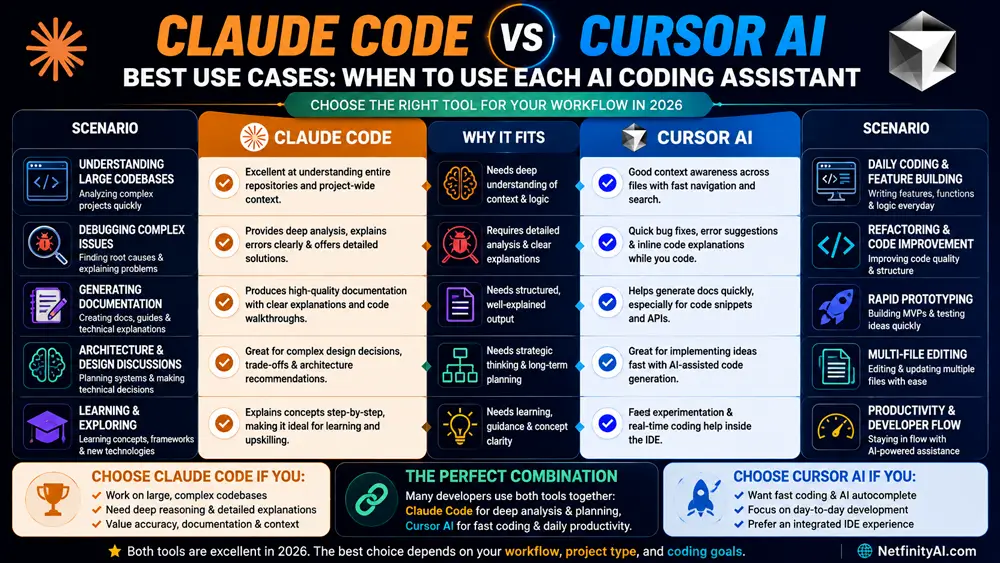
Rather than asking which tool is objectively better, consider which one aligns more closely with your workflow. Many professional developers even combine both tools—using Cursor AI for coding and Claude Code for deeper analysis and architectural discussions.
Claude Code vs Cursor AI for Different Developers
Choosing between Claude Code and Cursor AI largely depends on your development workflow and the type of projects you work on.
Choose Claude Code if you:
- Work with large codebases
- Need detailed explanations
- Frequently review unfamiliar projects
- Write technical documentation
- Value AI reasoning over speed
Choose Cursor AI if you:
- Spend most of your day inside an IDE
- Want fast code completion
- Frequently refactor code
- Prefer an integrated coding experience
- Focus on daily software development
Both tools are highly capable, but their strengths cater to different types of developers.
Pros and Cons
Claude Code
Pros
- Excellent repository understanding
- Outstanding reasoning ability
- High-quality documentation generation
- Strong debugging assistance
- Great for complex engineering tasks
Cons
- Less integrated with traditional IDE workflows
- Premium features require a subscription
Cursor AI
Pros
- Built directly into a VS Code–based editor
- Fast autocomplete and editing
- Excellent refactoring tools
- Beginner-friendly interface
- Supports multiple AI models
Cons
- Some advanced features require paid plans
- Performance varies depending on the selected AI model
Our Recommendation
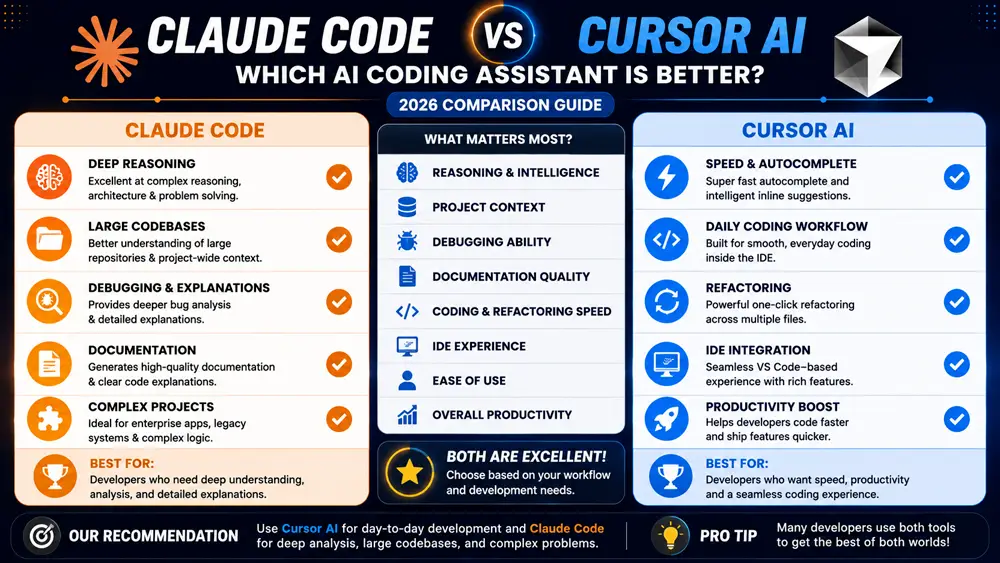
After comparing Claude Code vs Cursor AI across features, pricing, coding performance, and real-world workflows, both tools prove to be excellent AI coding assistants.
If your priority is understanding complex projects, analyzing large repositories, and receiving detailed coding explanations, Claude Code is the better choice.
If your goal is maximizing daily productivity with intelligent autocomplete, quick refactoring, and an AI-first coding environment, Cursor AI is likely the better fit.
For many professional developers, using both tools together can provide the best overall experience—Cursor AI for day-to-day coding and Claude Code for deeper analysis and architectural discussions.
Frequently Asked Questions
Which is better, Claude Code or Cursor AI?
Both are excellent AI coding assistants. Claude Code is better for deep reasoning and repository analysis, while Cursor AI offers a faster and more integrated coding experience.
Is Cursor AI free?
Cursor AI offers a free plan with optional paid upgrades that unlock additional features and higher usage limits.
Can Claude Code replace GitHub Copilot?
Claude Code is a powerful alternative, especially for developers who prioritize reasoning, explanations, and large-project understanding. However, GitHub Copilot remains a strong choice for autocomplete and ecosystem integration.
Which AI coding assistant is best for beginners?
Cursor AI is generally easier for beginners because it integrates directly into a familiar VS Code environment and offers intuitive AI-powered editing tools.
Does Claude Code work with large codebases?
Yes. One of Claude Code’s biggest strengths is its ability to analyze and understand large repositories while maintaining context across complex projects.
Interested in Microsoft’s AI ecosystem? Check out Microsoft Copilot vs ChatGPT.
Final Verdict
Our Claude Code vs Cursor AI comparison shows that both tools are among the best AI coding assistants available in 2026.
Choose Claude Code if you need deep code understanding, repository analysis, technical explanations, and architectural guidance.
Choose Cursor AI if you want an AI-powered coding environment that boosts everyday productivity through intelligent autocomplete, editing, and refactoring.
Both tools are among the strongest AI coding assistants available in 2026, and either one can significantly improve your software development workflow.